Benefits of Mobile Apps for Field Service Contractors
Field service work rarely happens behind a desk. Technicians, subcontractors, supervisors, and service crews spend most of their day traveling between customer locations, inspecting equipment, completing repairs, documenting conditions, collecting approvals, and responding to unexpected problems.
Meanwhile, dispatchers and office staff must coordinate schedules, answer customer questions, prepare work orders, track job progress, issue invoices, record payments, and organize information coming from multiple locations. When these activities depend on handwritten forms, phone calls, text messages, and disconnected spreadsheets, important details can easily be delayed, duplicated, or lost.
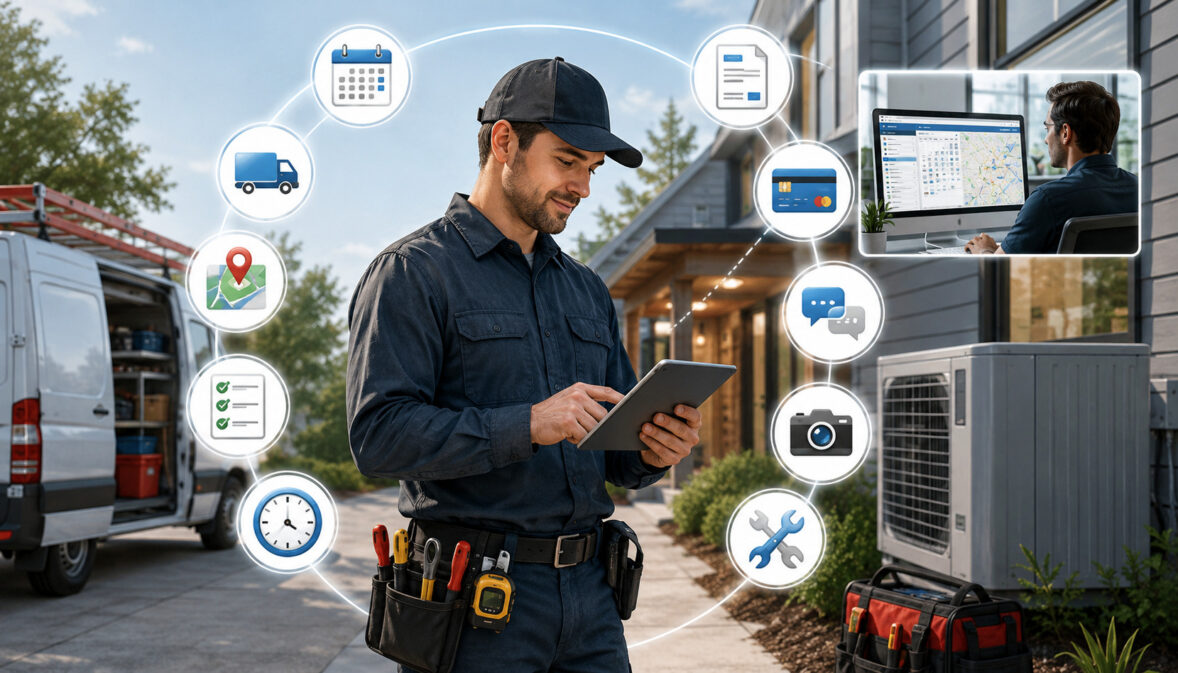
Mobile apps for field service contractors help connect these moving parts. A technician can receive a job assignment on a phone, review the customer’s service history, record labor and parts, upload photos, collect a signature, send an invoice, and update the job status before leaving the site. Office staff can see the same information without waiting for paperwork to return at the end of the day.
The benefits of mobile apps for field service contractors extend beyond convenience. When the app matches the company’s actual workflow, it can improve scheduling, dispatching, documentation, customer communication, invoicing, time tracking, payment collection, and management reporting.
However, mobile technology does not automatically fix an inefficient process. Contractors receive the greatest value when they define how work should move from the initial service request through scheduling, field completion, billing, and follow-up. The app should support that process rather than force technicians and office staff into unnecessary steps.
This guide explains how field service mobile apps work, where they can improve day-to-day operations, which features matter most, what mistakes to avoid, and how contractors can evaluate mobile technology responsibly.
What Are Mobile Apps for Field Service Contractors?
Mobile apps for field service contractors are phone- or tablet-based tools used to manage service work away from the office. Depending on the system, an app may provide scheduling, dispatching, customer records, work orders, estimates, invoices, payment tools, time tracking, photos, forms, inventory information, and reporting.
Some contractor mobile apps focus on one task, such as scheduling or timekeeping. Others are part of larger field service software for contractors that connects customer management, job operations, accounting, reporting, and office workflows.
A plumbing technician, for example, might use a field technician mobile app to review a service ticket, see previous repairs, record diagnostic findings, add parts, collect customer approval, and mark the job complete. A dispatcher could then see that the technician is available and assign the next nearby call.
The purpose is not simply to replace paper with a screen. Effective field service management apps create a shared source of job information so that technicians, dispatchers, managers, and office employees are working from the same records.
How Field Service Mobile Apps Work
Most field service contractor apps connect to a central system through the internet. The office creates or receives a service request, adds customer and appointment details, and assigns the job to a technician. The technician receives the work order through the mobile app.
During the visit, the technician may update the job status, review equipment history, complete an inspection checklist, record labor, identify parts used, take photos, write notes, and request customer approval. Those updates are synchronized with the office system, either immediately or when connectivity becomes available.
The completed record can then support invoicing, payment collection, job costing, customer follow-up, warranty documentation, and reporting. When integrations are available, selected information may also move to accounting, payroll, inventory, customer relationship management, or construction business software.
The effectiveness of this workflow depends on consistent use. Required fields, job statuses, naming rules, permission settings, and staff responsibilities should be clearly defined before the app becomes the primary field system.
Mobile Apps vs. Paper-Based Field Workflows
Paper work orders are familiar, but they create limitations. A handwritten service ticket cannot automatically alert a dispatcher, update a customer record, generate an invoice, or show a manager that a technician is delayed.
Paper can also be damaged, misplaced, difficult to read, or returned late. Office staff may need to enter the same information into another system, increasing administrative work and creating another opportunity for mistakes.
Phone calls and text messages provide faster communication, but they often create fragmented job records. A technician may text a photo to one manager, call a dispatcher about a missing part, and write labor hours on a paper form. Reconstructing the complete story of the job can become difficult.
A contractor job management app brings these details into one structured record. Digital workflows are also searchable, allowing authorized employees to retrieve previous work orders, photos, signatures, equipment notes, and invoices without looking through filing cabinets or separate message threads.
Why Field Service Contractors Use Mobile Apps

Contractors generally adopt mobile apps because information needs to move faster between customers, the office, and technicians. A service company may complete dozens of appointments in one day, and each appointment can generate schedule changes, labor records, photos, parts information, customer questions, invoices, and follow-up tasks.
Without a connected system, dispatchers may spend much of the day calling technicians for updates. Technicians may arrive without complete job details. Invoices may remain unprepared until paper work orders are reviewed. Customers may call the office because they do not know when a technician will arrive.
Mobile app benefits for service contractors often include faster job assignments, better field visibility, more complete documentation, reduced duplicate entry, and earlier billing. Apps can also create consistency by requiring technicians to complete specific fields or checklists before closing a job.
These improvements are most useful when the organization treats the app as part of its operating process. A company that continues using personal text messages, private notes, spreadsheets, and paper alongside the new system may simply create another disconnected information source.
Connecting Field Teams and Office Staff
A mobile dispatch app for contractors allows the office to send appointment information directly to the assigned technician. The technician can see the customer’s address, contact details, service request, site instructions, equipment information, prior notes, and scheduled arrival window.
As the technician updates the job, office employees can follow its progress. They do not have to wait for the technician to call or return paperwork. This can help customer service representatives answer questions using current information rather than assumptions.
Connected records also improve handoffs. If a technician discovers that a specialist, permit, replacement part, or second visit is needed, the office can begin coordinating the next step before the first appointment ends.
The same connection supports managers. A service manager can review open work orders, delayed jobs, completed appointments, technician notes, and pending estimates from a reporting dashboard instead of collecting updates from several people.
Reducing Delays in Daily Service Work
Service delays often begin with missing information. A technician may receive an address but not the customer’s gate code, equipment model, parking instructions, or description of the problem. The technician then calls the office, and the dispatcher must search for the answer while managing other calls.
A field service workflow software system can place relevant job information in the work order before the technician leaves. Route details, customer records, service history, attachments, photos, and special instructions can travel with the assignment.
Real-time job status updates can reduce another common delay: uncertainty. Dispatchers can see whether a technician is en route, working, waiting for a part, or ready for another assignment. That visibility makes it easier to handle cancellations, emergency calls, late appointments, and schedule adjustments.
The app cannot eliminate traffic, difficult repairs, parts shortages, or customer changes. It can, however, help the team identify those issues earlier and coordinate a response with better information.
Mobile App Benefits for Service Contractors Compared
The following table summarizes common capabilities and the operational purpose behind each one. Contractors can use it as a starting point when reviewing field service business software.
| Mobile App Benefit | What It Helps With | Why It Matters | Best Use Case |
| Scheduling | Assigns jobs and appointments | Keeps teams organized | Daily service routes |
| Dispatching | Sends job details to technicians | Reduces repeated phone calls | Emergency service calls |
| Work orders | Tracks job tasks and status | Improves accountability | Repair and maintenance jobs |
| Photos and notes | Documents job conditions | Supports proof of work | Before-and-after records |
| Mobile estimates | Creates quotes in the field | Speeds review and approval | Add-on work requests |
| Mobile invoicing | Sends invoices from the job site | Reduces billing delays | Completed service calls |
| Payment collection | Supports payment after work | Creates a convenient checkout process | On-site customer payments |
| Time tracking | Records labor hours | Improves labor visibility | Crew and technician work |
| Customer communication | Sends reminders and updates | Sets clearer expectations | Appointment confirmations |
| Reporting | Shows field activity and results | Supports management decisions | Weekly operational review |
How to Use the Table When Reviewing Apps
Begin by identifying the problems the company is trying to solve. A two-person repair company may prioritize scheduling, work orders, invoicing, and payment collection. A larger maintenance operation may need dispatch boards, technician tracking, recurring service plans, inventory controls, user permissions, and detailed reporting.
Next, rank each capability as essential, useful, or unnecessary. This prevents a long feature list from distracting the evaluation team. It also helps distinguish between functions that look impressive during a demonstration and functions technicians will use every day.
Contractors should test complete scenarios rather than isolated buttons. Create a sample customer request, schedule the appointment, dispatch it, complete the work order, add a part, collect a signature, generate an invoice, and review the resulting report.
That test reveals whether information flows naturally or whether employees must repeatedly enter the same details.
Why Mobile App Value Depends on Real Workflows
The best mobile app features for field service contractors depend on how the business operates. An emergency plumbing company has different scheduling needs from a remodeling business.
A commercial maintenance contractor may need asset histories and recurring inspections, while a residential electrical contractor may place greater importance on arrival notifications and on-site estimates.
Team structure also matters. Some businesses allow technicians to quote additional work. Others require manager approval. Some technicians collect payments, while others send completed paperwork to the office for billing.
The app should support these responsibilities with suitable permissions and approval steps. Giving every user full access may expose unnecessary information, while overly restrictive settings can slow field work.
A simple system that supports the actual workflow can create more value than a complex platform with dozens of unused modules. The objective is consistent execution, not the largest possible software package.
Benefit One: Better Scheduling and Dispatching
Scheduling is one of the most visible benefits of mobile apps for contractors. A shared calendar allows dispatchers to review technician availability, service windows, job duration, territory, skills, and priority before assigning work.
A contractor scheduling app may use color-coded calendars, drag-and-drop assignments, recurring appointments, unassigned job queues, and alerts for schedule conflicts. Some systems also show travel time or nearby technicians, helping dispatchers build more practical routes.
The mobile connection matters because a schedule is only useful when field employees can see changes. A printed schedule may become outdated after the first cancellation or emergency call. A mobile schedule can be refreshed throughout the day.
Contractors should still leave room for judgment. A mapping tool may identify the closest technician, but the nearest person may not have the required certification, equipment, parts, or experience. Dispatch decisions should consider the whole job.
Assigning Jobs Faster
A dispatcher can use the app to send a complete assignment rather than communicating job details across several calls or messages. The assignment may include:
- Customer name and contact details
- Service address and access instructions
- Appointment time and expected duration
- Description of the reported problem
- Equipment, model, or asset information
- Previous service notes
- Required forms or inspection checklists
- Photos, manuals, or supporting documents
- Pricing or approval instructions
The technician receives the information in a consistent format and can confirm the assignment. If the schedule changes, the updated information remains attached to the same work order.
This can be especially helpful during urgent service calls. Instead of reading an address and problem description over the phone, the dispatcher can create the job, identify a qualified available technician, and deliver the necessary details through the app.
Reducing Schedule Confusion
Double booking often occurs when different employees maintain separate calendars or make changes without informing the entire team. Shared scheduling gives authorized users a common view of appointments, technician assignments, and job statuses.
Status definitions should be standardized. For example, “scheduled,” “dispatched,” “en route,” “arrived,” “in progress,” “on hold,” “completed,” and “follow-up required” should mean the same thing to every employee.
Automated reminders can also help technicians review upcoming appointments and help customers prepare for arrival. However, reminders should not promise an exact arrival time when the business operates with service windows.
Contractors managing project-based work can combine mobile dispatching with broader construction scheduling concepts when field appointments depend on project phases, inspections, materials, or other trades.
Benefit Two: Real-Time Field Updates
Real-time field updates give the office a more current picture of daily operations. Instead of calling each technician for progress reports, dispatchers can review job statuses, timestamps, field notes, photos, and completion records in the system.
This visibility helps the office communicate with customers. If a technician is delayed, the customer service team can provide an informed update. If a job is completed early, the dispatcher may assign another nearby appointment.
Real-time does not always mean instant. Technicians may work in locations with poor connectivity, and some updates may synchronize later. Companies should establish procedures for urgent information that cannot wait for the app to reconnect.
The value also depends on accurate entries. A technician who forgets to mark arrival or completion may create a misleading schedule. Training and simple status rules are therefore essential.
Job Status Updates From Technicians
A practical status sequence gives each department useful information without requiring lengthy messages. A technician might mark a job as:
- Accepted
- En route
- Arrived
- In progress
- Waiting for approval
- Waiting for parts
- Completed
- Follow-up required
Each status can trigger an operational response. “En route” may send an arrival notification. “Waiting for approval” may alert a manager. “Follow-up required” may create a scheduling task.
Technicians should also be able to explain exceptions. A short note can clarify that the customer was unavailable, the equipment could not be accessed, a special-order part is needed, or the requested work falls outside the assigned scope.
Structured statuses combined with notes give managers both measurable data and necessary context.
Faster Office Response to Job Changes
Field work often changes after inspection. The reported problem may not match the actual condition. Additional damage may be discovered, access may be limited, or the technician may need a part that was not identified during intake.
With a mobile system, the technician can record the issue, upload photos, and request a decision while still at the location. The office can review the information, contact the customer, locate a part, adjust the schedule, or involve a supervisor.
This reduces the delay between discovery and action. It can also create a clearer record of why the job changed.
The app should not replace required contractual or regulatory procedures. Scope changes, customer approvals, safety decisions, and other formal matters should follow the company’s documented policies and receive professional review where appropriate.
Benefit Three: Digital Work Orders and Service Tickets
Digital work orders organize the instructions, activity, and results associated with a service visit. They can replace handwritten service tickets while giving the company a searchable record that supports customer service, billing, reporting, and future maintenance.
A digital work order can guide the technician through required steps. The app may present inspection questions, safety checklists, equipment fields, labor categories, parts lists, photos, and signature requirements based on the type of service.
Consistency is one of the main advantages. When every technician records work differently, office staff must interpret incomplete notes. Required mobile forms can create a common minimum standard without preventing technicians from adding relevant observations.
Forms should remain practical. Too many required fields may encourage rushed or inaccurate entries. Contractors should review forms regularly and remove questions that do not serve a clear purpose.
What Digital Work Orders Should Include
A useful digital work order generally includes:
- Customer name and contact information
- Service address and site instructions
- Requested service or reported issue
- Assigned technician or crew
- Equipment and asset details
- Arrival, start, and completion times
- Diagnostic findings
- Work performed
- Labor hours
- Parts and materials used
- Before-and-after photos
- Recommendations or follow-up needs
- Customer approval or acknowledgment
- Completion status
The necessary fields vary by trade and service type. An HVAC maintenance visit may require readings and filter information, while an electrical inspection may require circuit details and corrective recommendations.
Contractors should consult qualified professionals about documentation required by contracts, regulations, warranties, insurance arrangements, or trade-specific obligations.
How Digital Records Reduce Lost Paperwork
Digital records can be stored with the customer and job history rather than in a technician’s truck or a filing cabinet. Authorized employees can search by customer, address, work-order number, technician, equipment, or date.
This is valuable when a customer calls months later. The office can review what was reported, what was completed, which parts were installed, and whether follow-up was recommended.
Digital storage can also reduce duplicate entry. Information recorded in the field may flow into an invoice, customer summary, asset history, or management report without being typed again.
Contractors exploring broader process improvements can review workflow automation for construction businesses, which explains how standardized job stages, forms, approvals, and connected systems can reduce fragmented records.
Benefit Four: Better Customer Communication
Customer communication begins before the technician arrives and continues after the job is finished. Field service mobile apps can support appointment confirmations, reminders, arrival updates, estimate approvals, invoices, receipts, and follow-up messages.
Consistent communication helps customers understand what to expect. It may also reduce missed appointments and calls asking when a technician will arrive.
Automation should be used carefully. Messages should reflect the actual service process and should not make promises the company cannot reliably meet. Customers should also have an appropriate way to ask questions or report changes.
The app should preserve communication history when possible. A record of reminders, approvals, and service summaries helps office staff understand what information the customer received.
Appointment Reminders and Arrival Updates
Appointment reminders can include the service date, arrival window, location, preparation instructions, and rescheduling process. For example, a customer may need to clear access to equipment, secure pets, arrange building entry, or ensure an authorized decision-maker is present.
Arrival notifications can be triggered when the technician marks the job en route. Some systems may include an estimated arrival time or technician identification.
These updates can improve convenience, but location and tracking features should be configured thoughtfully. Contractors should explain what customers can see and avoid sharing more employee location data than necessary.
Internal policies should also clarify when technicians should update statuses. Consistent use prevents automated messages from being sent too early or after the technician has already arrived.
Clearer Communication After the Job
After completing the work, the technician can provide a digital summary that explains the service performed, parts installed, observations, photos, recommendations, and next steps.
The customer may also receive an invoice, receipt, warranty information, or maintenance instructions. Keeping these items together creates a more understandable closeout experience.
Digital communication should remain readable on a phone. Long technical notes may be useful internally but confusing to a customer. Companies can use separate internal notes and customer-facing summaries when the system supports them.
For recurring maintenance, the completed job may also create the next appointment or reminder. This helps the company maintain service continuity without relying entirely on an employee’s memory.
Benefit Five: Mobile Estimates and Approvals
Mobile estimating allows authorized employees to prepare a quote while they are at the service location. The estimate can use the customer record, job details, labor items, materials, photos, and pricing information already available in the system.
This is helpful when a technician discovers additional work or when an inspection is required before the company can determine the scope. Instead of returning to the office to prepare a separate document, the technician or manager may create the estimate through the app.
Pricing authority should be clearly controlled. Some technicians may be allowed to quote standard services, while larger repairs or unusual conditions may require manager review.
The system should also distinguish an estimate from an approved scope of work. Contractors should use appropriate agreements and seek professional guidance for contract language and approval requirements.
Creating Estimates at the Job Site
A field estimate may include labor, materials, equipment, service fees, options, exclusions, anticipated timing, and supporting photos. Standard templates can help employees present common services consistently.
Templates should not prevent site-specific adjustments. Technicians must still document the actual condition and avoid selecting a standard item that does not match the required work.
A contractor management software system may allow approved estimates to become work orders or invoices without re-entering customer details and line items. This creates a cleaner estimate-to-job workflow.
However, contractors should review transferred information before billing. Scope changes, substitutions, quantities, taxes, discounts, and completed work may differ from the original estimate.
Getting Customer Approval Faster
Digital approvals can reduce delays caused by printing, scanning, mailing, or waiting for a customer to return a paper estimate. The customer may review the proposal on a device or through a secure link and provide an electronic acknowledgment.
Fast approval is useful only when the customer has enough information to make an informed decision. The estimate should describe the work, price, assumptions, limitations, and next steps clearly.
The system should preserve the approved version and record when approval occurred. Revised estimates should be versioned so employees do not rely on an outdated scope.
Contractors should have their approval process, estimate wording, and electronic signature practices reviewed by qualified professionals where contractual or regulatory requirements apply.
Benefit Six: Mobile Invoicing and Payment Collection
Mobile invoicing for contractors can shorten the gap between job completion and billing. After the technician records the work, labor, materials, and approvals, the system can prepare an invoice for review or send it according to company policy.
A contractor payment app may also support card payments, contactless payments, mobile wallets, deposits, or secure online payment links. Available methods depend on the payment provider, device, account setup, and type of transaction.
Payment convenience can improve the customer experience, particularly for smaller service calls that are due at completion. However, contractors should understand processing costs, refund procedures, chargeback handling, settlement timing, user permissions, and reconciliation.
Payment tools should be evaluated as part of the complete field workflow, not as an isolated feature.
Sending Invoices From the Field
A technician who completes a straightforward repair may be able to generate an invoice before leaving. The invoice can use recorded labor, parts, service charges, approved add-ons, and customer details.
Other companies may require office review before sending. This is useful when pricing is complex, multiple technicians worked on the job, purchase orders are required, or the service is part of a larger project.
The app should support the appropriate level of control. Technicians might be allowed to prepare draft invoices while only managers or accounting employees can approve adjustments or send final versions.
Contractors should also confirm how invoices synchronize with their accounting records. Duplicate invoice numbers, inconsistent customer names, or incomplete item mapping can create reconciliation problems.
Collecting Payments After Service
After the customer reviews the completed work and invoice, the company may offer approved payment methods. A mobile payment process can allow payment at the location, while a secure payment link lets the customer pay from a personal device.
Contractors should avoid writing down or storing card details in job notes, photos, text messages, or unapproved applications. Payment information should be handled through properly configured payment systems.
A practical contractor payment processing guide can help businesses understand mobile acceptance, invoicing workflows, transaction methods, and field-service payment considerations. Specific pricing, compliance, accounting, refund, or contractual questions should be reviewed with the appropriate professional.
The completed transaction should produce a receipt and update payment status. The company should then confirm that payment data flows correctly into reconciliation and reporting.
Benefit Seven: Photos, Notes, and Proof of Work
Photos and technician notes provide context that checkboxes alone cannot capture. They can document existing conditions, access problems, equipment identification, completed repairs, installed materials, inspection findings, and recommended follow-up.
A mobile app keeps this documentation attached to the correct job. That is more reliable than storing images in a technician’s personal photo library or sending them through unrelated message threads.
Photos should be taken with purpose. Excessive or poorly labeled images can make the record difficult to review. Contractors should define which photos are expected for common job types and how they should be described.
Businesses should also consider privacy. Technicians should avoid photographing unrelated personal information, people, or areas that are not relevant to the work.
Before-and-After Job Photos
Before photos can document the condition encountered when the technician arrived. They may show damage, equipment configuration, access limitations, existing wear, or the location of a component.
After photos can show the completed repair, installed part, cleaned work area, test result, or finished condition. For work completed in stages, progress photos may show concealed components before they are covered.
Photos should include captions or categories so future employees understand what each image represents. A picture labeled “before—damaged connection” is more useful than an unlabeled file.
Photography does not replace written notes. Lighting, angle, scale, and image quality can affect interpretation. Combining images with a factual description creates a stronger service record.
Notes That Help Future Service Calls
Technician notes can preserve details that may matter during the next visit. Examples include equipment age, model information, recurring symptoms, access instructions, customer preferences, temporary repairs, unusual site conditions, and recommended parts.
Notes should be objective and professional. They may later be read by managers, office employees, another technician, or the customer.
A useful note explains what was observed, what was tested, what action was taken, and what remains unresolved. Vague comments such as “fixed issue” provide little value.
Companies should separate internal operational notes from customer-facing summaries when appropriate. They should also establish retention, access, and privacy practices for job records with guidance from qualified professionals.
Benefit Eight: Time Tracking and Labor Visibility
Time tracking features allow technicians and crews to record hours against specific jobs, activities, or labor categories. This can provide better information than a weekly timesheet that lists only total hours.
A technician might record travel time, diagnostic time, repair labor, training, warehouse work, or callback activity. Managers can then review how labor is distributed across the business.
Job-based time records support labor analysis and job costing. They can help managers compare estimated labor with actual labor, identify scheduling problems, and understand which services require more time than expected.
Timekeeping practices may be subject to employment, wage, contract, union, or other requirements. Contractors should have their procedures reviewed by appropriate professionals rather than relying on software defaults.
Tracking Technician Hours by Job
Job timers can begin when a technician starts travel, arrives, or begins work, depending on company policy. Some apps allow the user to switch between jobs or labor categories without completing a separate timesheet.
Managers can review timestamps alongside job statuses and notes. This may help explain why a service call took longer than expected or why a technician completed fewer appointments on a particular day.
The data should be interpreted carefully. A longer visit may reflect a complex condition, customer delay, safety requirement, training need, or inaccurate original scope. Raw duration does not fully measure work quality.
The goal is not simply to make every visit shorter. It is to understand labor use and create realistic schedules, estimates, and staffing plans.
Reducing Manual Timesheet Errors
Handwritten timesheets may contain missing entries, unclear job numbers, incorrect totals, or late submissions. Office employees must often contact technicians to reconstruct the week.
Digital time tracking can prompt employees to select the job and labor category when recording time. Supervisors may then review and approve records before they move to payroll or job-cost reporting.
Notifications can identify open timers, overlapping entries, or missing job assignments. These controls reduce some common errors, but they do not guarantee accuracy.
Training should explain when time begins and ends, how travel is recorded, how corrections are requested, and who approves changes. Contractors should also maintain procedures for situations when the device or app is unavailable.
Benefit Nine: Inventory and Parts Tracking
Field service work depends on having the right part at the right location. Mobile inventory features can help technicians review truck stock, record materials used, request parts, and check warehouse availability.
When a technician adds a part to a work order, that entry may update the invoice, job cost, service history, and inventory count. This reduces the need to record the same item in several places.
Inventory accuracy still requires disciplined receiving, transfers, returns, cycle counts, and adjustments. An app cannot provide reliable counts when employees remove materials without recording them.
Contractors should begin with the items that matter most rather than trying to track every low-value supply immediately.
Tracking Parts Used in the Field
A technician may select a part from a list, scan a barcode, enter a quantity, or choose an item from assigned truck inventory. The part then becomes part of the job record.
Accurate parts entries help the office prepare the invoice and understand the cost of the service. They also preserve information for warranty work and future repairs.
The system should distinguish between installed, returned, damaged, transferred, and unused items. Without clear transaction types, inventory counts can quickly become unreliable.
Item descriptions should be understandable to both field and office users. Duplicate items, inconsistent units, and informal naming can create reporting and purchasing problems.
Reducing Return Trips for Missing Materials
Inventory visibility can help dispatchers and technicians prepare before traveling. The work order may suggest expected materials based on the service type, equipment record, or technician notes.
Before assigning an urgent job, the dispatcher may be able to identify which qualified technician has the likely part. For planned work, purchasing staff can review upcoming material needs in advance.
The app cannot predict every diagnosis. However, better service history and truck-stock information can improve preparation and reduce avoidable trips.
Contractors should review frequently used parts, stockout patterns, emergency purchases, and unused truck inventory. This helps determine which materials should be stocked centrally, carried by technicians, or ordered for specific jobs.
Benefit Ten: Route Planning and Technician Productivity
Route planning features use job locations, appointment windows, technician availability, and travel estimates to support daily scheduling. A more practical route can reduce unnecessary driving and create more time for productive field work.
A routing tool is not the same as a complete dispatch strategy. Technician skill, job priority, vehicle capacity, parts availability, customer commitments, and expected duration must also be considered.
Mobile navigation can help technicians reach unfamiliar locations, while the dispatch board gives the office visibility into where the day’s work is concentrated.
Safety should remain more important than schedule efficiency. Technicians should not interact with the app while driving, and companies should establish clear mobile-device procedures for vehicles and active work areas.
Reducing Unnecessary Drive Time
Dispatchers can group nearby appointments, assign technicians within suitable service areas, and review travel between jobs. This is particularly useful for businesses covering a large territory.
Accurate job duration improves routing. If every appointment is scheduled for the same length regardless of service type, the route may appear efficient but collapse during the day.
Historical data can help managers refine expected duration and travel buffers. They may discover that certain buildings require longer access time or that some services consistently need two technicians.
Route efficiency should be reviewed alongside service quality, first-time completion, callbacks, safety, and customer commitments. Driving fewer miles is valuable, but not when it sends an unqualified or unprepared technician.
Handling Urgent Service Calls
Urgent calls require fast decisions. A dispatcher must determine which technician is available, qualified, appropriately equipped, and close enough to respond without disrupting higher-priority commitments.
A mobile dispatch app can show current job status, remaining appointments, approximate location, and technician capabilities. The dispatcher can then reassign work and send updated information to affected employees.
Customers whose appointments change should receive timely updates. The system may automate part of that communication, but sensitive situations may still require a personal call.
The company should define how emergency jobs are prioritized. Clear rules prevent every urgent request from being treated as equally critical and help dispatchers make consistent decisions.
Benefit Eleven: Offline Access for Job Sites
Field service contractors often work in basements, mechanical rooms, rural areas, new construction zones, industrial facilities, and remote properties where mobile connectivity is weak or unavailable.
Offline access allows technicians to continue certain activities without a live connection. Depending on the app, they may be able to open downloaded work orders, add notes, complete forms, take photos, record time, or collect signatures.
The information is stored on the device and synchronized when connectivity returns. This prevents a weak signal from stopping the entire workflow.
Offline capabilities vary significantly. Some apps offer broad functionality, while others provide only limited cached information. Contractors should not assume that every visible feature works offline.
What Offline Access Should Support
The most important offline functions usually include:
- Viewing the assigned work order
- Accessing essential customer and site information
- Reviewing downloaded documents or equipment history
- Completing mobile forms and checklists
- Adding technician notes
- Recording time
- Taking and attaching photos
- Recording parts used
- Collecting acknowledgment or signature
- Saving completion details for later synchronization
The company should determine what happens when an offline technician changes information that has also been changed by the office. The system may resolve the conflict automatically or require manual review.
Employees also need a way to recognize whether information has synchronized successfully. A visible pending-sync indicator can prevent technicians from assuming the office has received an update when it remains only on the device.
Why Contractors Should Test Offline Features
A sales demonstration in a strong Wi-Fi environment does not prove that offline mode will work at real job sites. Contractors should test the app in basements, low-signal neighborhoods, remote locations, and other conditions common to their work.
The test should cover a complete assignment. Open the work order, complete required forms, add photos, record time and materials, close the job, restore connectivity, and confirm that every item synchronized correctly.
Also test what happens when the app closes, the battery dies, the device restarts, or the user signs out before synchronization.
Written procedures should explain how technicians handle urgent updates while offline and how they verify synchronization later.
Benefit Twelve: Better Reporting and Business Visibility
When technicians consistently record job activity, the app creates data that managers can use to understand operations. Reports may show open jobs, completed appointments, labor hours, invoice status, payment status, callbacks, recurring service, estimate approvals, and technician workload.
Reporting reduces dependence on anecdotal updates. Instead of asking whether scheduling feels busy, a manager can review job volume, completion rates, travel time, overdue work orders, and unassigned appointments.
Data quality remains the foundation. Reports become misleading when employees skip statuses, use inconsistent job types, leave timers running, or close incomplete work orders.
Managers should define a small group of useful measures and review them consistently rather than collecting every available metric.
Reports Service Managers Should Review
Useful operational reports may include:
- Jobs scheduled, completed, canceled, and rescheduled
- Open work orders and aging
- Technician hours by job or activity
- Average job duration by service type
- Estimates awaiting review or approval
- Invoices sent and invoices still pending
- Payment collection by channel
- Callbacks and repeat visits
- Recurring maintenance due
- Parts usage and stockouts
- Customer follow-up tasks
- Jobs requiring manager review
Managers should compare related measures. A technician who completes many jobs may also have a high callback rate. A team with strong on-site payment collection may still have incomplete documentation.
Balanced review produces better decisions than focusing on one productivity number.
Turning Field Data Into Better Decisions
Accurate field data can reveal patterns that are difficult to see in individual work orders. Managers may discover that certain appointment types need longer service windows, particular parts are frequently unavailable, or a service territory creates excessive travel.
Labor and material records can support pricing reviews and job-cost analysis. Customer history can help the company identify recurring problems or maintenance opportunities.
Reports can also improve staffing decisions. Instead of relying only on general impressions, managers can review workload by day, region, service type, and technician skill.
For broader operational planning, contractors may connect mobile data with organized construction business workflows so scheduling, documents, approvals, invoicing, and reporting use consistent definitions.
Mobile App Security and User Permissions
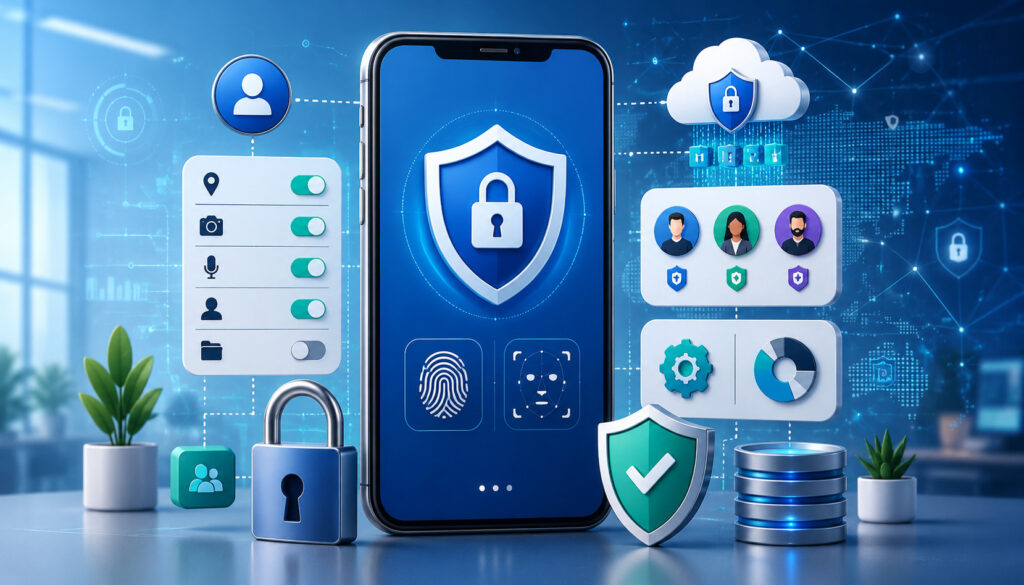
Field service apps may contain customer names, addresses, phone numbers, access instructions, photos, invoices, payment status, employee schedules, and job records. Contractors should therefore evaluate security as an operational requirement rather than an optional technical feature.
Important controls may include multifactor authentication, encryption, automatic updates, user permissions, remote session management, audit logs, secure backups, and procedures for lost or replaced devices.
The Cybersecurity and Infrastructure Security Agency recommends that small businesses create an everyday security culture, manage access deliberately, maintain updated systems, and use measures such as multifactor authentication and backups. Its small-business cybersecurity guidance provides a useful starting point.
Contractors should seek qualified cybersecurity and legal guidance for their specific systems, obligations, incident response plans, and data practices.
Role-Based Access for Field Teams
Not every employee needs access to every function. A technician may need assigned work orders, customer contact details, equipment history, forms, estimates, and payment tools. A dispatcher may need all active schedules but not payroll information.
Managers may require reporting and approval functions, while accounting employees may need invoice, payment, and export access. Owners or administrators may control settings, integrations, and user accounts.
Role-based access limits unnecessary exposure and reduces accidental changes. Permissions should be reviewed when employees change roles or leave the organization.
Companies should also decide whether staff use company-owned or personal devices. Device ownership affects support, updates, remote access, privacy, and acceptable-use procedures.
Protecting Customer and Payment Data
Employees should never store card numbers, passwords, customer identification, or other sensitive details in ordinary notes, photos, email drafts, or text messages.
Payment data should be processed through approved systems configured for the company’s account and workflow. Access to refunds, manual adjustments, saved payment methods, and reports should be limited according to job responsibilities.
Mobile devices should use screen locks, current operating-system updates, approved applications, and secure account recovery processes. Lost devices should be reported immediately under a written procedure.
CISA’s mobile-device guidance emphasizes updated platforms, trusted devices, managed access, and controls that prevent untrusted devices from reaching organizational resources.
Common Mistakes to Avoid With Field Service Mobile Apps

A mobile app can create new problems when it is selected or implemented without understanding field work. One common mistake is choosing software based only on a demonstration attended by managers.
Another is attempting to launch every module at once. Technicians may be expected to learn scheduling, work orders, estimating, inventory, payments, timekeeping, and customer messaging in a single day.
Disconnected tools also create difficulty. A separate scheduling app, photo app, timekeeping system, invoicing platform, and customer database may require repeated entry and produce conflicting records.
Contractors should prioritize essential workflows, test them with actual users, document procedures, and expand gradually.
Choosing an App Without Technician Input
Technicians use the app while driving between appointments, wearing gloves, standing in mechanical rooms, speaking with customers, and working in poor-connectivity environments. Their experience is different from that of someone reviewing software at a desktop.
A pilot group should test common and difficult scenarios. Ask technicians whether job details are easy to find, forms are practical, photos upload reliably, offline mode works, and required fields make sense.
Technician feedback does not mean every preference must be adopted. The company still needs consistent records and management controls. However, unexplained friction often leads to workarounds.
Field input can identify unnecessary taps, confusing labels, duplicate fields, and missing information before the system is launched to the full team.
Not Training the Team Before Launch
Without training, users may select the wrong status, leave timers running, close incomplete work orders, send incorrect invoices, or store notes in the wrong location.
Training should be role-based. Technicians need field scenarios. Dispatchers need schedule and exception scenarios. Office employees need invoice, customer-record, and reporting scenarios.
Employees should practice in a test environment or with sample jobs before handling live customer records. Written checklists and short reference guides are often more useful than one long presentation.
Supervisors should review early records and correct problems quickly. Habits formed during the first weeks can determine whether the system becomes a reliable workflow or another inconsistent tool.
Best Practices for Using Mobile Apps for Field Service Contractors
Successful implementation begins with process design. Contractors should map the current workflow from service request to final payment, identify delays, and decide what information must move between each step.
Useful practices include:
- Map current field workflows before selecting an app.
- Involve technicians, dispatchers, managers, and office staff.
- Test scheduling and dispatch tools with real scenarios.
- Review work-order and service-ticket requirements.
- Test estimates, invoices, and approved payment methods.
- Verify offline access in real field conditions.
- Establish photo and note standards.
- Define job statuses and when each one is used.
- Configure role-based permissions.
- Train staff before launch.
- Review security and customer-data practices.
- Connect office systems only when the integration is useful.
- Begin with a pilot rollout.
- Review reports weekly.
- Document procedures and update them as workflows change.
The objective is a repeatable system that employees can follow during an ordinary day and during exceptions.
Creating a Mobile App Workflow Procedure
A written procedure should explain what happens at each stage. For example:
- The office creates the customer and job record.
- A dispatcher confirms required details and assigns the technician.
- The technician reviews the work order before travel.
- Statuses are updated at defined points.
- Required photos, notes, forms, labor, and parts are recorded.
- Scope changes follow the approval process.
- The customer receives the appropriate summary and invoice.
- Payment is collected or marked for office follow-up.
- The technician closes the work order.
- The office reviews exceptions, synchronization, and follow-up tasks.
The procedure should also address cancellations, no-access visits, offline work, incorrect assignments, lost devices, customer complaints, and app outages.
Training Technicians and Office Staff
Field and office employees must understand how their actions affect one another. A technician may see a job status as a simple button, while the office relies on that status to communicate with the customer and assign the next appointment.
Training should explain both the task and its purpose. Employees are more likely to follow a process when they understand why a photo, part entry, timestamp, or completion note matters.
Use realistic examples from the company’s service work. Include standard jobs, urgent calls, follow-up visits, unapproved additions, missing parts, weak connectivity, refunds, and incomplete work.
After launch, provide a clear way for employees to report problems. Review recurring questions and update training materials accordingly.
Mobile App Features Checklist for Field Service Contractors
Use this checklist to compare mobile apps for field service contractors based on day-to-day operations.
| Checklist Area | What to Review | Why It Matters |
| Scheduling | Calendar, appointments, availability | Keeps jobs organized |
| Dispatch | Job assignment and live updates | Improves field coordination |
| Work orders | Service details and completion notes | Creates reliable job records |
| Photos | Before-and-after documentation | Supports proof of work |
| Estimates | Field quote creation and approval | Speeds scope review |
| Invoices | Mobile billing tools | Reduces billing delays |
| Payments | Card, online, or payment-link options | Supports convenient collection |
| Time tracking | Labor hours by job | Improves labor visibility |
| Inventory | Parts, truck stock, and usage | Supports preparation and costing |
| Offline access | Work without a reliable signal | Supports difficult locations |
| Communication | Reminders, arrival updates, summaries | Sets customer expectations |
| Permissions | Role-based access | Protects data and settings |
| Reporting | Job, technician, invoice, and payment reports | Supports management review |
| Integrations | Accounting, payroll, CRM, or inventory connections | Reduces duplicate entry |
| Data export | Accessible record and report exports | Supports continuity and analysis |
How to Use the Checklist Before Choosing an App
Give each item a priority level based on the company’s workflow. Then create test scenarios for the highest-priority items.
Do not accept a general statement that the platform “supports scheduling” or “works offline.” Ask to see exactly how a dispatcher reschedules a job, how the technician receives the update, and what happens to information entered without connectivity.
Review the number of taps required for frequent tasks. A process completed dozens of times per day should be especially simple.
Also compare device compatibility, user limits, storage, implementation assistance, support hours, update practices, data ownership, export options, contract terms, and total cost. Obtain professional review where legal, financial, tax, cybersecurity, insurance, or contractual questions arise.
Records to Keep After Setup
Maintain an organized record of:
- User roles and permission assignments
- App configuration and account administrators
- Workflow procedures
- Job-status definitions
- Work-order and estimate templates
- Training materials
- Device and access policies
- Integration settings
- Payment configuration and authorized users
- Data-export procedures
- Support contacts
- Report definitions
- Change logs and review dates
These records make it easier to train new employees, review access, troubleshoot problems, and maintain consistency.
They also reduce dependence on one employee who remembers how everything was configured. Settings and procedures should be reviewed periodically as the business adds services, employees, territories, or office systems.
How to Choose the Best Mobile App Features for Field Service Contractors
Choosing field service contractor apps should begin with operational requirements rather than product popularity. Document the current workflow, identify the largest sources of delay or error, and define the outcome the company wants.
Then evaluate scheduling, dispatching, work orders, estimates, invoicing, payments, photos, notes, time tracking, inventory, offline access, customer communication, integrations, reporting, security, device support, training, and pricing.
The mobile experience should receive as much attention as the office dashboard. A powerful desktop system may still fail if technicians cannot complete tasks efficiently from a phone.
Contractors should also consider long-term fit. The system should support today’s core workflow while allowing reasonable growth without forcing the company to buy unnecessary complexity.
Questions to Ask Before Choosing a Field Service Mobile App
Ask potential providers and internal evaluators:
- Can dispatchers see technician availability and job status in one view?
- How are emergency calls and schedule changes handled?
- What information appears in the technician’s work order?
- Can forms be customized by service type?
- Which features work offline?
- How and when does offline information synchronize?
- Can technicians add photos, notes, parts, and signatures?
- Can estimates be reviewed before customers receive them?
- How are invoices created, approved, and synchronized?
- Which payment methods are supported?
- What controls apply to refunds and adjustments?
- Can customers receive reminders and arrival updates?
- How are user permissions configured?
- Does the app support the team’s phones and tablets?
- Can records and reports be exported?
- Which integrations are native, and what data actually transfers?
- What training and support are included?
- How is customer and employee data protected?
- What fees apply to users, features, storage, implementation, support, and payments?
Test the answers in a pilot rather than relying only on descriptions.
Comparing Long-Term Fit Over Basic Features
The lowest subscription price may not produce the lowest operating cost. A less expensive app can become costly if it requires duplicate entry, lacks reliable support, creates incomplete records, or cannot connect with essential office systems.
The platform with the longest feature list is not automatically better either. Unused features can increase setup time, training demands, and interface complexity.
Evaluate the complete field-to-office workflow. Consider how easily a new request becomes a scheduled appointment, how the technician completes the record, how the customer receives an update, how the invoice is prepared, and how managers review the results.
A phased approach is often practical. Begin with scheduling, work orders, field documentation, and invoicing. Add inventory, workflow automation, advanced reporting, or other modules after the core process is stable.
Frequently Asked Questions
What are mobile apps for field service contractors?
Mobile apps for field service contractors are tools used on phones or tablets to manage work away from the office. They may support scheduling, dispatching, work orders, customer records, photos, notes, estimates, invoices, payments, time tracking, inventory, forms, and reporting.
Some apps handle a single function, while others are part of a broader field service management system. The most useful option is one that connects technicians and office employees through consistent job information.
What are the main benefits of mobile apps for field service contractors?
The main benefits include faster scheduling, more organized dispatching, real-time job updates, improved field documentation, quicker estimate approvals, earlier invoicing, convenient payment collection, better time records, and stronger reporting.
Mobile apps can also reduce paper handling and duplicate entry. The results depend on proper configuration, employee training, reliable data, and consistent use.
How do field service mobile apps help with scheduling?
A contractor scheduling app gives dispatchers a shared view of appointments, technicians, availability, service areas, and job statuses. Assignments can be sent directly to technicians with customer details, directions, service notes, and supporting documents.
When a job is canceled, delayed, or completed early, the schedule can be adjusted and delivered to affected employees. Route planning and technician-skill information may also support better dispatch decisions.
Can contractor mobile apps help with invoices and payments?
Yes. Mobile apps may allow technicians or office employees to create invoices using recorded labor, parts, and approved services. The invoice can be reviewed, sent electronically, or presented to the customer after completion.
Approved payment tools may support card transactions, contactless payments, mobile wallets, or secure payment links. Contractors should review fees, permissions, settlement, refunds, reconciliation, data security, and professional requirements before implementing payment workflows.
What mobile app features should field service contractors look for?
Important features commonly include scheduling, dispatching, work orders, job statuses, customer records, photos, notes, mobile forms, estimates, invoices, payments, time tracking, parts tracking, offline access, communication tools, permissions, integrations, data export, and reporting.
The right combination depends on the company’s trade, service model, team size, billing process, customer expectations, and existing systems.
Why is offline access important for field service contractors?
Technicians frequently work in locations with poor cellular or Wi-Fi service. Without offline access, they may be unable to view job information, complete forms, take attached photos, record labor, or close a work order.
A suitable offline mode lets the technician continue working and synchronize information when connectivity returns. Contractors should test exactly which functions remain available and how synchronization conflicts are handled.
How can mobile apps improve technician productivity?
Mobile apps can reduce time spent calling the office, searching for customer information, filling out duplicate forms, reconstructing labor hours, and returning paperwork.
They may also help technicians arrive with better service history, route information, equipment details, and parts visibility. Productivity should be assessed alongside documentation quality, safety, customer satisfaction, callbacks, and first-time completion rather than job count alone.
How should contractors choose the right field service mobile app?
Contractors should first map their current workflow and identify the most important problems to solve. They can then compare apps through realistic scenarios involving scheduling, dispatch, field completion, estimates, invoicing, payment, offline work, and reporting.
Technicians, dispatchers, managers, and office staff should participate in the evaluation. A pilot rollout can reveal usability, training, synchronization, and workflow issues before the system is introduced company-wide.
Conclusion
Mobile apps for field service contractors can create a more connected way to manage work from the first customer request through the final invoice and payment.
Scheduling and dispatch tools help office staff assign work and respond to changing conditions. Real-time status updates show where jobs stand. Digital work orders, photos, notes, checklists, and signatures create more complete service records. Mobile estimates, invoices, and approved payment tools can reduce delays between inspection, authorization, completion, and collection.
Time tracking, parts records, route planning, offline access, and reporting can provide managers with better visibility into labor, materials, technician workload, customer history, and field performance. Customer reminders, arrival updates, service summaries, invoices, and receipts can also create a more organized service experience.
These benefits do not come from installing an app alone. Contractors need to map their workflow, involve field and office users, establish job-status and documentation standards, configure permissions, protect customer information, train employees, test offline functions, and review results after launch.
The right field service mobile app is not necessarily the least expensive platform or the one with the most features. It is the tool that matches real field conditions, supports office-to-field coordination, protects important records, provides useful reporting, and helps employees complete each step consistently.
By starting with essential workflows and improving them gradually, contractors can use mobile technology to reduce administrative friction, improve communication, strengthen documentation, and manage service work more effectively from the first appointment to final payment.