
Automating Payroll for Construction Teams (2026 Guide to Faster, More Accurate Payroll)
Construction payroll can feel like trying to pour concrete in the rain: you can get it done, but it takes extra effort, extra cleanup, and the margin for error is thin. One missed punch, one wrong cost code, or one late approval can snowball into payroll corrections, frustrated crews, inaccurate job costing, and compliance headaches.
That’s why automating payroll for construction teams is no longer “nice to have” in 2026. The right construction payroll automation setup connects time capture, job coding, approvals, rate rules, and reporting into one controlled workflow—so you spend less time chasing timesheets and more time managing projects.
This guide explains how to automate payroll in construction companies step-by-step, what to look for in payroll software for construction teams, and how modern construction payroll management systems help you reduce errors and build audit-ready documentation.
Important note: This is general operational information, not legal or tax advice. Always confirm rules and requirements with your advisors and the applicable agencies or contract terms.
Why Construction Payroll Is Uniquely Complex (And Why Manual Processes Break)

Construction payroll is different from office payroll because the work moves—across job sites, phases, and crews—while pay rules and documentation requirements move with it. Manual payroll can work for a small crew on a single site. But once you’re juggling multiple projects and multiple supervisors, manual processes tend to fail in predictable ways.
First, construction time isn’t just “hours worked.” It’s where the hours happened (job/site), what they were spent on (task/cost code), and how they should be paid (base rate, premium, overtime rules and shift differentials, travel time, per diem, union considerations, or prevailing wage basics where required).
If any of those dimensions are missing or wrong, you don’t just pay incorrectly—you cost the job incorrectly.
Second, approvals are field-driven. Payroll depends on foremen and supervisors approving time on tight deadlines. When approvals are late, payroll staff either delays the run or makes assumptions—both create risk.
The field also needs a simple method to handle missed punches, corrections, and exceptions without turning payroll week into a blame game.
Third, documentation expectations can be higher on certain projects. Some contracts require certified payroll reporting or detailed wage/fringe tracking. Even when certified payroll isn’t required, you still need payroll compliance documentation: time records, edits, approvals, rate changes, deductions, and pay stubs stored in a way that holds up during an audit or dispute.
Construction payroll automation is designed to manage these realities—without relying on memory, spreadsheets, and last-minute phone calls.
Pro Tip: If your payroll accuracy depends on “who remembers what happened on which site,” your process is already overloaded. Automation replaces memory with rules, workflows, and audit trails.
What Construction Payroll Automation Means In 2026

People sometimes hear “automation” and imagine a system that runs payroll with no human involvement. In construction, that’s not realistic—or even desirable. In 2026, construction payroll automation means digitizing the pieces that create errors and delays, and then controlling them with structured workflows.
At a practical level, automation usually includes:
- Digital time capture through a construction time tracking app, kiosk, or crew-based entry
- Digital timesheets that require job and cost code allocation before submission
- A payroll approvals workflow (foreman → project manager → payroll, or a version that fits your org)
- Automatic rate rules for multi-rate payroll (different tasks/rates), shift premiums, and overtime rules (general)
- Fringe benefits tracking and high-level union payroll considerations where applicable
- Direct deposit and pay stubs delivered securely
- Payroll integrations that export labor to accounting and job costing systems
- Audit-ready payroll records with role-based permissions and change logs
Automation does not eliminate decisions—it makes decisions visible and consistent. Your team still sets the rules, approves time, and resolves exceptions. The system ensures those steps happen in the right order, with the right documentation.
What automation is not (common misconceptions)
Automation isn’t a magic button that fixes unclear policies or sloppy job setup. If cost codes are messy, pay rules are undefined, or supervisors approve late, software alone won’t save you. The biggest wins come when you pair a clean process with a tool that enforces it.
Automation also isn’t only for large contractors. Even small teams benefit when field time is captured once, approved once, and reused everywhere—payroll, job costing, and compliance records.
Pro Tip: Think of automation like standardizing your submittals process. The system doesn’t do the work for you—it prevents missing info, forces approvals, and documents every step.
End-To-End Automated Construction Payroll Workflow (From Punch To Job Costing)

A strong end-to-end workflow connects the full lifecycle: time tracking → coding → approvals → payroll run → deductions → job costing → retention. When those steps live in different tools (or worse, in paper stacks), errors multiply because data is retyped and reinterpreted.
A practical automated workflow looks like this:
- Time tracking (daily): Crew members clock in/out using a construction time tracking app, kiosk, or supervisor entry. Optional GPS time tracking may be enabled depending on your needs and policies.
- Coding to job/cost code (daily or end-of-shift): Time is allocated to the correct job, phase, and cost code. This supports job costing and labor burden tracking later.
- Exception capture (daily): Missed punches, meal breaks, travel time, per diem eligibility, and equipment-related notes are recorded while details are fresh.
- Supervisor approval (weekly cutoff): Foremen review and approve time by employee and by cost code. They confirm rate-sensitive items like task changes, shift differentials, and overtime triggers.
- Payroll review (pre-run): Payroll validates exceptions, checks multi-rate rules, reviews deductions and garnishments at a high level, and confirms worker classification basics are applied correctly (W-2 vs 1099 basics, general).
- Payroll run (scheduled): System calculates pay, taxes/deductions configured in the platform, and creates pay stubs and direct deposit files.
- Job costing exports (post-run): Labor is exported to accounting/job costing with the correct coding, including labor burden allocation if you track it.
- Reporting and record retention: Pay stubs, time edits, approvals, and compliance documents are stored in an audit-ready format, searchable by job and by employee.
Where construction teams usually lose control (and how automation fixes it)
Most payroll issues happen in three places:
- Before approvals: time is captured without the right job/cost code detail
- During approvals: supervisors approve late or approve without reviewing exceptions
- After payroll: labor costs don’t tie out to job reports due to coding changes and rework
Automation fixes these by requiring required fields (job/cost code), enforcing deadlines with reminders/escalations, and locking approved periods with controlled correction workflows.
Pro Tip: Design your workflow so the field owns time accuracy (who/when/where/what), and payroll owns pay accuracy (rates/rules/deductions). Automation creates the handoff.
Manual Vs Automated Payroll Workflow (Table: Time, Errors, Visibility)
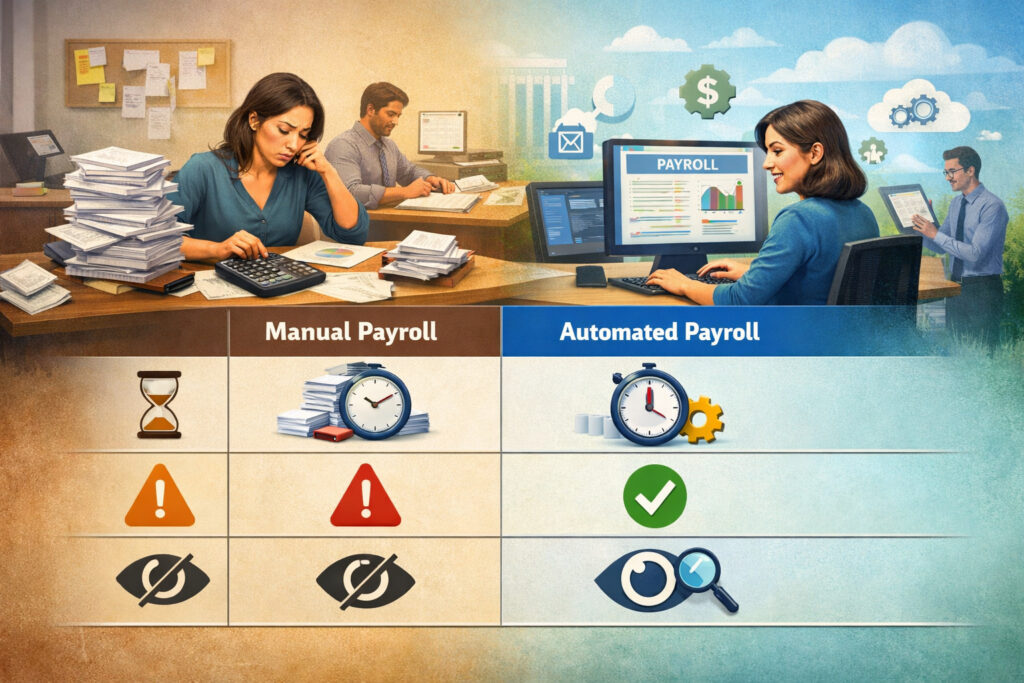
Below is a high-level comparison of how manual construction payroll typically behaves versus an automated workflow. The goal is not “perfect automation.” The goal is fewer touchpoints and better control.
| Area | Manual payroll workflow | Automated payroll workflow |
|---|---|---|
| Time capture | Paper cards, texts, emailed photos, spreadsheets | Mobile app/kiosk/digital timesheets with required fields |
| Job & cost coding | Added later, often guessed or reconstructed | Coded at entry with job/cost code rules and prompts |
| Approvals | Chased via calls/messages; inconsistent review | Built-in payroll approvals workflow with deadlines and reminders |
| Multi-rate payroll | Manual calculations and split-time spreadsheets | Rules-driven rate application by task/site/shift |
| Overtime visibility | Discovered after the week closes | Flagged in real time or at approval stage for review |
| Corrections | Edits in multiple places; weak documentation | Controlled correction requests with audit trail |
| Job costing | Re-keyed into accounting; frequent mismatches | Payroll integrations export clean labor allocations |
| Compliance documentation | Stored in folders/emails; hard to retrieve | Audit-ready payroll records searchable by job/employee/pay period |
| Error exposure | Found after payday or during job review | Caught before payroll run via validations and exceptions |
| Management visibility | Limited; reports built manually | Dashboards for labor by job, cost code, and crew |
This table is your “why.” If you see your current process in the left column, you’re not alone—and you’re also a strong candidate for automation.
Pro Tip: If your payroll process requires payroll staff to “translate” field notes into payroll rules every week, you’re paying for rework. Automation turns translation into structured inputs.
Core features to look for in payroll software for construction teams (2026 requirements)
Choosing payroll software for construction teams is less about flashy features and more about fit: how well it matches your job structure, crew behavior, approval culture, and compliance needs. In 2026, strong construction payroll management systems should cover time capture, approvals, rules, and integrations in one connected experience.
At minimum, prioritize features that reduce re-entry and force clean data upstream. Look for configurable policies that support real-world field conditions: offline work, quick crew changes, and multi-rate weeks. Also pay attention to audit and security: role-based permissions, edit logs, and secure pay stub delivery are no longer optional.
Must-have features checklist (table)
Use this checklist to compare systems consistently across demos.
| Feature area | Must-have capability | Why it matters in construction |
|---|---|---|
| Time capture | Mobile time tracking + offline mode | Crews work where connectivity is inconsistent |
| Digital timesheets | Required job + cost code fields | Prevents “unknown labor” that breaks job costing |
| Cost coding | Job/phase/cost code structure + easy selection | Speeds entry and reduces miscoding |
| Multi-rate payroll | Split-time by task/rate in the same week | Prevents manual spreadsheets and rate errors |
| Overtime/shift rules | Configurable overtime rules and shift differentials (general) | Reduces calculation mistakes and disputes |
| Per diem/travel | Per diem and travel time tracking | Keeps special pay consistent and documented |
| PTO/accruals | PTO policies and accrual tracking | Avoids manual balances and payout errors |
| Approvals | Multi-step payroll approvals workflow + cutoffs | Stops late approvals from driving chaos |
| Compliance | Certified payroll reporting (if needed) + documentation storage | Simplifies reporting obligations and audits |
| Security | Role-based permissions + audit trails | Controls who can edit pay-impacting data |
| Payments | Pay stubs and direct deposit | Standardizes delivery and reduces admin |
| Integrations | Payroll integrations with accounting/job costing | Eliminates re-keying and improves margin tracking |
| Reporting | Labor reports by job, cost code, crew, and period | Supports job costing and labor burden review |
When comparing tools, ask the vendor to show how each feature works with real construction examples—not generic office scenarios.
Pro Tip: Don’t let a demo skip the hard parts: split rates, corrections after approval, offline time capture, and job-cost exports. Those are where systems either shine or fail.
Time capture options: mobile app, kiosk, crew entry, and GPS (what to choose and why)
Time capture is the foundation. If the time data is incomplete or unreliable, everything downstream suffers—payroll accuracy, job costing and labor burden tracking, and compliance documentation. In construction, the best time capture method is the one your crews will actually use correctly, consistently, and on time.
Most companies choose one primary method and keep a backup method for edge cases (dead phone, new hire, remote site). The key is to standardize rules: when to clock, how to select job/cost codes, and how to report exceptions like travel time or missed breaks.
Mobile time tracking (construction time tracking app)
A mobile app is flexible and scalable. Workers can clock in/out, switch cost codes, and attach notes in real time. In 2026, offline mode is essential so entries sync later without losing detail. Mobile time tracking also supports quicker exception resolution because the employee can submit a correction request immediately.
The risk is inconsistency if you don’t enforce job/cost code selection. Choose an app that can require coding before submission and that supports quick “favorites” for common tasks so workers aren’t scrolling through long lists.
Kiosk or site device (shared clock)
Kiosks work well when crews start at a consistent location. They reduce “I forgot my phone” issues and can enforce onsite clocking. Kiosks also make sense when you want a consistent process for new hires, short-term labor, or rotating crews.
The tradeoff is that kiosks can be less effective for roving crews or when teams move between multiple sites in a day. You’ll still need a way to switch job/cost codes during the shift.
Supervisor/foreman crew entry
Crew entry can be practical for certain trades and small crews, especially when safety or workflow discourages phone use. The foreman enters time for the team and allocates it to cost codes. This can improve coding accuracy—if the foreman is trained and the system makes it fast.
The risk is bottlenecking. If one person controls time for everyone, missed entries and delays can spike when the foreman is overloaded.
GPS time tracking (optional)
GPS time tracking can help confirm site-based clock-ins and reduce disputes about where time was recorded. It can also help when you manage multiple job sites and need basic verification.
Use GPS carefully. It should support your policy—not replace it. Make sure you document how location data is used, who can see it, and how long it’s retained.
Pro Tip: Don’t start with the fanciest method. Start with the method your field supervisors will enforce. Consistency beats complexity.
Pay rules you must automate: multi-rate payroll, overtime, per diem, travel, and fringe tracking
Construction pay is rarely a single hourly rate all week. People switch tasks, cover different roles, move between sites, and sometimes fall under different pay rules depending on the job. A strong automation setup builds these realities into the system so payroll doesn’t have to reconstruct them from notes.
Start by listing the pay-impacting rules you use today, then decide which ones should be automated immediately and which can be added after the pilot. Automation should apply rules consistently, but you still need humans to confirm the underlying inputs.
Multi-rate payroll (different tasks/rates)
Multi-rate payroll happens when an employee earns different rates based on tasks, classifications, or assignments during the same week. Manual handling often requires spreadsheets and creates disputes when people believe the wrong rate was used.
Automation typically supports multi-rate payroll by:
- Allowing time to be split by task or cost code
- Mapping specific cost codes to default rates or premiums
- Flagging entries that lack a rate assignment
- Producing a clear audit trail showing which hours were paid at which rate
This is where your cost code structure becomes more than accounting—it becomes payroll logic.
Overtime rules and shift differentials (general)
Overtime and shift differentials should be rules-driven, not memory-driven. Even when rules are “simple,” exceptions are common: long shifts, weekend work, or split shifts across job sites.
Your system should:
- Identify overtime eligibility based on your configured rules
- Apply shift differentials based on scheduled shifts or time windows
- Show supervisors a preview of premium hours during approvals
- Document break handling and time edits clearly
Per diem and travel time tracking
Per diem and travel time are frequent sources of inconsistency. Some crews expect per diem automatically; others require eligibility checks. Travel time may be treated differently depending on company policy and job conditions.
Automation helps by:
- Capturing travel time as a distinct earning type
- Tracking per diem eligibility with rules or approval prompts
- Storing supporting notes and approvals for audit readiness
Fringe benefits tracking (and union payroll considerations, general)
Fringe benefits and union-related considerations can require extra tracking and reporting depending on agreements and project requirements. Even when you’re handling this at a high level, the system should track earnings types, deductions, and any required classifications consistently.
Pro Tip: If a pay rule requires payroll staff to ask, “What did you do that day?” it needs a structured input in time entry or approvals. Don’t automate the calculation until you standardize the input.
Compliance basics without the jargon: time records, classification, certified payroll basics, and documentation
Compliance is not just “tax filing.” In construction payroll, compliance often means being able to prove what happened: who worked, when they worked, what they were assigned to, what they were paid, and who approved it. In 2026, strong systems treat compliance like a recordkeeping process, not a pile of PDFs.
Start with the fundamentals.
Maintaining accurate time records (and documenting breaks/overtime)
Accurate time records should be:
- Captured close to real time (same day whenever possible)
- Linked to job/site and cost code where applicable
- Approved by a responsible supervisor
- Protected from silent edits (audit trail required)
Break documentation matters because it affects pay calculations and can trigger disputes. If your policy requires break attestation or specific handling of missed breaks, build that into time entry or approval prompts.
Overtime documentation matters because it’s a common complaint area. Even if your rules are configured, keep a clear record of what triggered premium pay and who approved the time.
Worker classification awareness (W-2 vs 1099 basics, general)
Worker classification affects how people are paid and how records are kept. At a general level, treat classification as a controlled setup decision, not something that changes casually. If your team uses multiple worker types, ensure the system:
- Clearly identifies worker type in the profile
- Applies the correct pay and reporting treatment based on your configuration
- Restricts who can change classification-related fields
Certified payroll basics (what it is and when it’s used)
Certified payroll reporting is typically used on certain projects that require detailed wage reporting, including classifications and sometimes fringe benefits details. The key operational takeaway is that certified payroll requires cleaner upstream data:
- Correct job assignment
- Correct classification mapping
- Consistent tracking of earnings and fringes where applicable
- A report output that matches required formatting
Even if only a portion of your work requires certified payroll reporting, it’s worth setting up a workflow that can produce those reports without rebuilding data from scratch each week.
Audit-ready payroll records (what to retain)
You want records that show:
- Original time entries and any edits
- Who approved and when
- Rate rules applied (especially multi-rate payroll)
- Pay stubs and direct deposit confirmations
- Deductions, garnishments (high-level), and changes over time
- Job costing allocations and exports
Pro Tip: “Audit-ready” doesn’t mean “a huge folder.” It means searchable, complete, and consistent—by job, employee, and pay period.
Implementation step-by-step: how to automate payroll in construction companies without chaos
A successful rollout is more about sequencing than speed. The safest approach is to automate the front end first (time capture and approvals), then layer in pay rules, then integrate job costing, and finally expand compliance reporting.
Below is a proven implementation flow designed for construction teams.
Step 1: Map your current process (and identify failure points)
Before you touch software, document your payroll flow in plain language:
- Who collects time?
- How is time approved?
- Where do rates live?
- How do cost codes get assigned?
- Who handles corrections?
- How do job costing exports happen?
Then list the top failure points: late approvals, missing cost codes, multi-rate mistakes, and unclear per diem/travel handling. This becomes your automation priority list.
Step 2: Define jobs, phases, cost codes, and pay rules (foundation work)
Your job and cost code structure must be consistent enough that the field can use it quickly. Aim for:
- A manageable number of codes per crew (favorites help)
- Clear naming conventions
- Mappings for multi-rate payroll where relevant
- Earning types for travel, per diem, shift premiums, and reimbursements
Also define labor burden handling at a high level if you track job costing and labor burden. The system should export data in a way that supports accurate burden allocation downstream.
Step 3: Select your time capture method (app vs kiosk vs crew entry)
Pick the simplest method that fits your job reality. Consider:
- Connectivity at typical sites (offline mode)
- Crew mobility (single site vs multiple sites per day)
- Supervisor capacity to manage crew entry
- Your policy stance on GPS time tracking (optional)
Step 4: Pilot with one crew (the “friendly foreman” strategy)
Choose a pilot crew that:
- Has a supervisor who will enforce the process
- Works a representative job type
- Will give honest feedback
Start with time capture + job coding + approvals. Keep pay rules simple in the first week if needed, but require clean cost codes from day one.
Step 5: Train foremen and supervisors first (then crews)
Foremen control compliance in the field. Training should cover:
- How to review and approve by cost code
- How to handle missed punches and corrections
- What must be confirmed before approval (rates, travel, per diem, shift premiums)
- Cutoff deadlines and escalation paths
Crew training should be short and practical: clock in/out, switch codes, submit correction requests, and view pay stubs if applicable.
Step 6: Build approval cutoffs and escalation rules
Set deadlines that match your payroll calendar. Automate reminders:
- A reminder 24 hours before cutoff
- An escalation to PM or ops if not approved by cutoff
- A final lock that prevents payroll from running on unapproved time unless an exception is documented
Step 7: Run parallel payroll for one cycle (control the risk)
For one pay period, run the automated workflow and your existing process. Compare:
- Total hours
- Overtime hours (general)
- Multi-rate splits
- Job allocations
- Per diem/travel entries
- Exceptions and corrections
Fix the root causes, not just the outcomes.
Step 8: Go live and monitor exceptions weekly
After go-live, track exceptions and drive them down:
- Missing cost codes
- Late approvals
- High correction volume
- Job allocation changes after approval
Pro Tip: Treat implementation like mobilizing a new job site: start with a small footprint, enforce standards, then scale.
Change management: getting foremen buy-in, training crews, and handling missed punches
Payroll automation succeeds or fails in the field. If supervisors see it as “office software” that slows them down, they’ll resist. If they see it as a tool that reduces end-of-week chaos and protects them from disputes, they’ll adopt it.
Start by framing the purpose in field language:
- Fewer Friday afternoon calls
- Faster approvals
- Clear proof when questions come up
- Less rework when job costing needs answers
Getting foremen buy-in (what actually works)
Foremen buy in when:
- The time entry process is fast (favorites, recent jobs, minimal taps)
- They can approve in minutes, not hours
- Corrections are simple and documented
- They aren’t blamed for unclear policies
Practical tactics:
- Involve one or two respected foremen in system setup feedback
- Publish a one-page “foreman standard” for approvals
- Set realistic cutoffs that respect field schedules
- Give foremen visibility into crew hours and overtime flags
Training field crews (keep it short, keep it visual)
Crew training should be:
- 10–15 minutes max
- Demonstration-based (clock in, switch job, clock out)
- Focused on the three actions crews must do reliably
- Reinforced by supervisors during the first two weeks
Provide a quick reference card and a single “who to call” contact for support.
Handling missed punches and corrections (without turning it into a fight)
Build a correction workflow that:
- Requires the employee to submit the correction request (or foreman submits on their behalf)
- Captures reason and timestamp details
- Routes to supervisor approval
- Logs the edit for audit-ready payroll records
Set a policy for correction deadlines (for example, within the pay period whenever possible). Don’t rely on text messages and sticky notes.
Pro Tip: The fastest way to lose adoption is to make corrections feel punitive. Make them structured, documented, and easy—then coach repeat issues.
Common pitfalls to avoid (and how to prevent them with controls)
Automation can magnify bad setup. If you automate a messy process, you get messy results faster. The goal is to install controls where construction payroll typically fails: cost codes, approvals, and special pay rules.
Common payroll mistakes in construction + prevention controls (table)
Use this as a practical “controls checklist” during rollout.
| Common mistake | Why it happens | Prevention control |
|---|---|---|
| Wrong job/cost code allocation | Too many codes, confusing names, delayed coding | Require coding at entry; use favorites; simplify code list |
| Late or missing approvals | Foremen busy; no reminders; unclear cutoff | Automated reminders + escalation; clear cutoff policy |
| Multi-rate errors | Task switches not recorded; spreadsheet splits | Link rates to tasks/codes; require task selection when switching |
| Overtime miscalculations (general) | Manual math; missing premium triggers | Configure overtime rules; flag overtime at approval |
| Per diem inconsistencies | Eligibility unclear; handled via emails | Define per diem rule; capture as earning type with approvals |
| Travel time disputes | Not recorded consistently | Separate travel earning type; require notes/approval |
| Fringe benefits tracking gaps | Data captured outside payroll | Track fringe categories in system; tie to job/classification |
| Union payroll considerations missed (general) | Agreements not reflected in setup | Lock down rule configurations; review with stakeholders |
| Job costing export mismatches | Re-keying; edits after export | Integration + locked periods; controlled corrections with audit trail |
| Poor record retention | Documents scattered across email/folders | Centralize payroll compliance documentation in system |
| Unauthorized edits | Too many admin users | Role-based permissions + audit trails + approval workflows |
| Garnishments mishandled (high-level) | Changes not tracked; manual notes | Standard deduction handling in system; controlled updates |
These controls aren’t “red tape.” They’re guardrails that protect payroll staff, supervisors, and the business.
Pro Tip: If your system allows edits after approval with no audit trail, you haven’t automated—you’ve just moved the spreadsheet to the cloud.
Metrics to track after automation (so you know it’s working)
Once you implement automating payroll for construction teams, the next step is proving it improved control. You don’t need fancy analytics. You need a few consistent metrics tracked weekly or monthly, then reviewed with operations.
Start with metrics that reveal process breakdowns early—before they become payroll corrections or job cost surprises.
Payroll process performance metrics
Track these for every pay period:
- Payroll error rate: Number of corrections required after payroll runs (define what counts: rate corrections, coding corrections, missed time additions).
- Time-to-run payroll: Hours spent from “cutoff reached” to “payroll submitted.” Keep this practical—track payroll staff time and the number of interruptions.
- Late approvals: Count and percent of supervisors who missed the cutoff.
- Exception volume: Missed punches, unassigned cost codes, correction requests per crew.
These metrics show whether the workflow is actually being followed and whether training is sticking.
Job costing and labor control metrics
Automation is also about margin control. Track:
- Labor cost by job vs estimate: Compare labor spend to the estimate by phase/cost code.
- Unallocated or miscoded labor: Hours sitting in “misc” or “unassigned.”
- Labor burden consistency: Whether job costing and labor burden allocation is stable and repeatable.
- Rework hours: If you track it, ensure it’s coded consistently so project managers can act on it.
Compliance and documentation metrics
You can’t measure compliance perfectly, but you can track signals:
- Audit readiness checks: Can you retrieve timesheets, approvals, and edits for a job in minutes?
- Certified payroll reporting timeliness (if needed): Reports produced without manual rebuilding.
- Permission violations: Any unauthorized edit attempts or policy exceptions.
Pro Tip: Pick 6–8 metrics and review them on a schedule. Too many metrics become “another report nobody reads.”
30/60/90-day rollout plan (realistic sequence for busy construction teams)
A 30/60/90 plan keeps the rollout focused and prevents the “half-implemented software” problem. The goal is to get a functioning core process live quickly, then add complexity in layers.
Days 1–30: Time tracking + approvals pilot (Month 1)
In the first month, prioritize clean time capture and approvals. Your success criteria is simple: a pilot crew submits coded time digitally, and supervisors approve on time.
Key actions:
- Set up jobs, phases, and core cost codes for pilot projects
- Configure your time capture method (app/kiosk/crew entry) with offline mode if needed
- Train pilot foreman(s) and payroll admin
- Establish cutoff deadlines, reminders, and escalation
- Define correction workflow for missed punches and edits
- Run one pay period through the new approvals process
Deliverables:
- Digital timesheets approved on schedule
- A documented pilot “standard operating procedure”
- A list of exceptions and root causes to fix
Days 31–60: Job costing integration + pay rules (Month 2)
Month 2 is where you connect payroll to job costing and lock down pay rules. Expand to additional crews once the pilot is stable.
Key actions:
- Implement payroll integrations with accounting/job costing exports
- Configure multi-rate payroll mapping to tasks/cost codes
- Add earning types for per diem and travel time tracking
- Configure overtime rules and shift differentials (general) as applicable
- Tighten permissions and audit trails
- Expand training to additional foremen and crews
Deliverables:
- Clean job-cost exports that match approved time
- Reduced recoding and fewer “misc labor” entries
- Stable payroll run process without manual spreadsheets
Days 61–90: Compliance reporting + optimization (Month 3)
Month 3 focuses on compliance documentation and scale. This is where you add certified payroll reporting (if needed), refine controls, and optimize the workflow.
Key actions:
- Configure certified payroll reporting where required by projects
- Improve fringe benefits tracking and any union payroll considerations (general)
- Standardize record retention and audit-ready payroll records retrieval
- Formalize a monthly review of payroll metrics
- Document onboarding steps for new hires and new jobs/cost codes
Deliverables:
- Consistent reporting outputs and stored documentation
- A repeatable onboarding process for new projects
- A measurable drop in late approvals and correction volume
Pro Tip: Don’t expand to every crew until the pilot produces stable job coding and on-time approvals. Scale a working system, not a struggling one.
FAQs
Q1) What is construction payroll automation?
Answer: Construction payroll automation is the use of digital time capture, structured job/cost coding, approvals workflows, and rules-based pay calculations to reduce manual entry and improve consistency.
It typically includes digital timesheets, automatic rate rules, direct deposit and pay stubs, and integrations to job costing and accounting. The goal is fewer corrections, faster processing, and better documentation—without removing human oversight.
Q2) Can payroll software track time by job and cost code?
Answer: Yes—good payroll software for construction teams can require workers or supervisors to assign time to a job and cost code at entry or before approval.
The best systems make it fast with favorites, recent selections, and simple job lists. This is critical for job costing and labor allocation, and it prevents “miscoded labor” that destroys project visibility.
Q3) How does certified payroll fit into payroll automation?
Answer: Certified payroll reporting (when required by certain projects) depends on accurate classifications, wage tracking, and clean time records tied to the correct job.
Automation helps by capturing the needed details upstream and producing reports from the same approved data used for payroll. The key is to set up classifications, fringes, and job mapping correctly before relying on automated certified payroll outputs.
Q4) Do I need GPS time tracking for construction crews?
Answer: Not always. GPS time tracking can help confirm clock-ins at job locations and reduce certain disputes, but it’s optional for many teams.
If you use it, define how location data is used, limit visibility to appropriate roles, and ensure it supports your timekeeping policy rather than becoming the policy itself. Many companies get strong results using approvals and clean job coding without GPS.
Q5) How do I handle multiple pay rates in one week?
Answer: You need a system that supports multi-rate payroll by splitting hours by task, classification, or cost code. The best approach is mapping specific tasks/codes to default rates and requiring employees or supervisors to switch codes when work changes. Supervisors should review the rate-related splits during approvals so payroll isn’t guessing later.
Q6) What’s the best way to reduce payroll errors?
Answer: Reduce errors upstream. Require job/cost code allocation before submission, enforce approval cutoffs, and use controlled correction workflows with audit trails.
Then automate the calculations (overtime rules, multi-rate, per diem/travel earning types) once the inputs are clean. Most payroll errors come from missing context, not from the payroll calculation itself.
Q7) Can payroll software integrate with accounting systems?
Answer: Many construction payroll management systems support payroll integrations to accounting and job costing tools through exports or direct connections. The quality varies.
Ask vendors to demonstrate a job-cost export using your cost code structure and show how corrections after approval are handled. Integration is only valuable if it stays aligned with approved time and doesn’t require re-keying.
Q8) How long does it take to implement payroll automation?
Answer: A practical rollout can start producing value in 30 days with a pilot crew (time tracking + approvals). More complete automation—including job costing integration, pay rules, and compliance reporting—often takes 60–90 days depending on complexity and internal bandwidth. The biggest variable is how quickly you can standardize cost codes and supervisor approvals.
Q9) What should foremen approve before payroll runs?
Answer: Foremen should confirm: correct employee hours, correct job and cost code allocation, task changes affecting rates, travel time and per diem entries, notes for exceptions, and any premium situations (overtime/shift differentials in general).
They should also ensure correction requests are reviewed and documented. Approval should mean “I confirm this is accurate,” not “I clicked approve to meet a deadline.”
Q10) Is automated payroll secure?
Answer: It can be very secure when configured correctly. Look for role-based permissions, audit trails, secure pay stub delivery, and strong access controls. Limit who can change pay-impacting settings like rates, deductions, and classification mapping.
Security is also operational: ensure supervisors only see the crews they manage and that edits after approval require documented workflows.
Q11) How do digital timesheets help with job costing and labor burden?
Answer: Digital timesheets capture job and cost code allocations at the source, so labor can be exported directly into job costing reports.
When combined with consistent labor burden rules (tracked in your accounting/job costing process), you can see labor costs by phase earlier and more accurately. The big improvement is fewer “misc labor” buckets and fewer recoding cycles.
Q12) What if crews forget to clock in or out?
Answer: Build a correction workflow that captures the missing punch details, requires a reason, and routes to supervisor approval. Encourage same-day corrections whenever possible so details are accurate.
Also use reminders and simple processes—like kiosk backups or foreman prompts—to reduce repeats. The goal isn’t perfection; it’s controlled, documented corrections.
Q13) How should we handle payroll compliance documentation?
Answer: Store time entries, approvals, edits, and pay outputs in a central system with searchable access by job, employee, and pay period. Use audit trails so you can show who changed what and when.
If you have projects requiring certified payroll reporting, keep those outputs linked to the same approved records used for payroll runs.
Q14) What about garnishments (high-level)?
Answer: Garnishments should be handled as a controlled deduction process in your payroll system, with restricted permissions for updates and a clear record of effective dates and changes. Even at a high level, the key is consistency and documentation.
Avoid tracking garnishment changes in email threads without updating the system promptly and securely.
Q15) Can we automate payroll and still allow flexibility for real job conditions?
Answer: Yes—if you design the workflow with exceptions in mind. Construction is exception-heavy: weather delays, site changes, short staffing, and travel. Automation should make exceptions visible and documented, not ignored.
The best systems allow structured exceptions (notes, earning types, correction requests) without opening the door to uncontrolled edits.
Conclusion
Automating payroll for construction teams isn’t about chasing buzzwords. It’s about building a repeatable process that captures time correctly, enforces approvals, applies pay rules consistently, exports clean job costing, and stores audit-ready payroll records without weekly chaos.
When you implement construction payroll automation the right way, your payroll run becomes predictable: fewer late approvals, fewer rate disputes, cleaner job costing, and stronger payroll compliance documentation—all while reducing the admin load that burns out office teams.