
How to Set Up Office Systems for Your Contracting Company
Running a profitable operation isn’t only about great craftsmanship. It’s about repeatable workflows that keep estimates accurate, crews scheduled, customers informed, and cash flowing. Office systems for your contracting company are the behind-the-scenes processes and tools that make the field run smoother and the business scale without chaos.
When office systems for your contracting company are weak, the same problems repeat: missed calls, late estimates, forgotten change orders, unclear scopes, schedule whiplash, material shortages, and invoices that go out weeks late.
When office systems for your contracting company are strong, you stop relying on memory and heroics. You rely on a dependable “how we do things here” operating rhythm.
This guide walks through the modern, practical setup for office systems for your contracting company—from intake and estimating to scheduling, job costing, documents, and accountability.
It’s built for busy owners and managers who want systems that are easy to follow, simple to train, and strong enough to support growth. You’ll also see where the next wave is heading, including automation and AI-assisted operations, so your office systems for your contracting company don’t become outdated as expectations keep rising.
Build a “Single Source of Truth” Operating Model

The first step in office systems for your contracting company is deciding where truth lives. In many contracting businesses, “truth” is scattered across a phone, a notebook, texts, spreadsheets, email, and a few apps.
That causes duplication and disagreement: the office thinks the scope is one thing, the foreman thinks it’s another, and the customer remembers something else entirely.
A single source of truth means every job has one official home where the latest scope, price, schedule, documents, photos, approvals, and communications can be found. Your office doesn’t need to be fancy—it needs to be consistent.
Office systems for your contracting company should define: (1) where data is stored, (2) who updates it, and (3) how often it’s reviewed.
Start by choosing one core platform for job records (CRM + project record). Then standardize naming rules and folders. For example: “ClientName – Street – JobType – StartMonthYear.” Consistent naming is one of the most underrated office systems for your contracting company, because it prevents time-wasting searches and version confusion.
Also define “official channels.” If approvals happen by text, your team will miss them. If schedules live in a paper calendar, people won’t see updates. The goal is to reduce communication sprawl.
When office systems for your contracting company are designed for reality, you allow some flexibility—while still requiring key decisions (like scope changes and approvals) to be recorded in the job file.
Finally, schedule a weekly operations review: pipeline, active jobs, material lead times, labor capacity, change orders, and billing. That single weekly habit often becomes the backbone of office systems for your contracting company, because it forces small problems to surface early—before they become expensive emergencies.
Set Up Your Administrative Structure and Role Clarity
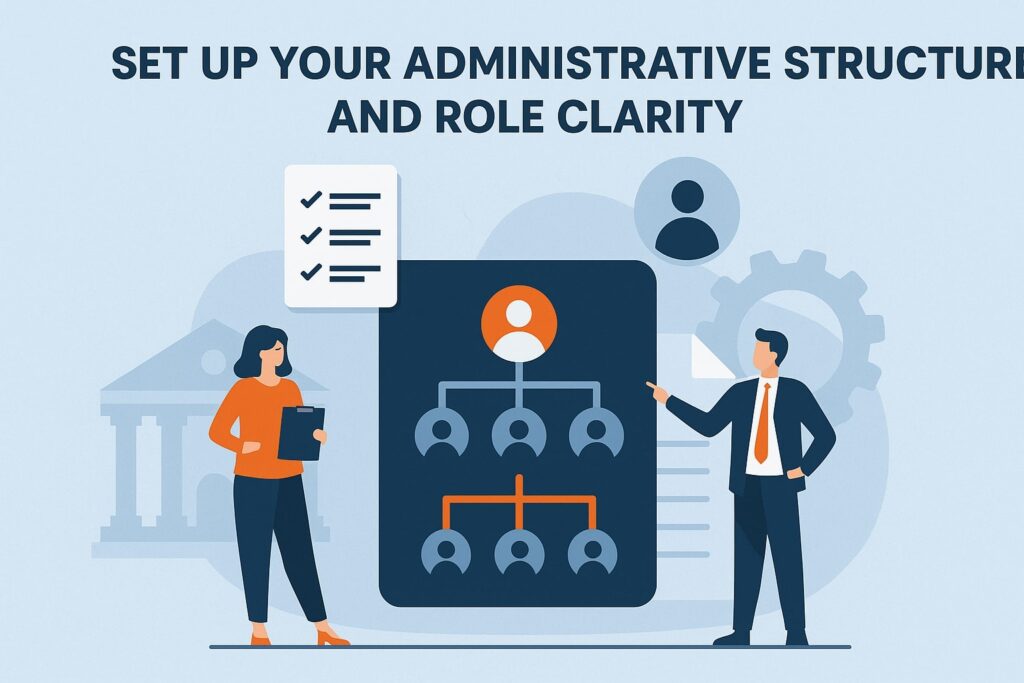
A major reason office systems for your contracting company fail is unclear ownership. If everyone is “kind of responsible,” then no one is responsible. Even a small operation benefits from defined seats: who answers leads, who builds estimates, who schedules crews, who orders materials, who handles billing, and who manages closeout.
Role clarity doesn’t require a big team. In a lean business, one person may wear multiple hats—but office systems for your contracting company still need clear decision rights. For example: the estimator owns scope definition; the project coordinator owns schedule updates; the foreman owns daily production reporting; accounting owns invoicing timing.
Create a simple responsibility map for every stage: Lead → Qualification → Site Visit → Estimate → Contract → Pre-Construction → Production → Change Orders → Subcontractors → Quality → Billing → Closeout → Warranty.
Then assign one owner per stage. This alone upgrades office systems for your contracting company because it eliminates “I thought you did it” moments.
Also establish escalation paths. When a customer asks for a scope add-on, who approves pricing? When materials are delayed, who communicates schedule changes? When a crew is short-staffed, who shifts priorities?
Strong office systems for your contracting company don’t just define tasks—they define what happens when things go wrong (because they will).
To make this operational, build a one-page “role scorecard” for each seat: daily tasks, weekly tasks, quality standards, and key metrics. Scorecards transform office systems for your contracting company from vague intentions into training-ready routines. As you grow, those scorecards become the blueprint for hiring without losing consistency.
Create a Lead Intake and Client Communication System

If the phone rings and your process isn’t clear, revenue leaks fast. The best office systems for your contracting company start at the first contact: consistent intake, qualification, follow-up, and customer expectations.
Your intake system should capture the same essential fields every time: name, address, job type, timeline, budget range (when appropriate), referral source, and any constraints like permits or access.
Then use a standard “next step” script: confirm when you’ll schedule a site visit, when they’ll receive an estimate, and how decisions are made. People often choose the contractor who communicates best—not only the one with the lowest number.
Set a communication standard: office replies within a defined window (like same business day), and all updates are logged in the job record. This is where office systems for your contracting company prevent reputation damage.
A customer who feels ignored becomes harder to work with, more likely to delay approvals, and more likely to dispute invoices.
Build a follow-up cadence. Many estimates are lost simply because nobody followed up. Your office systems for your contracting company should include: follow-up at 2 days, 7 days, and 14 days, then a final “close-the-loop” message. Keep it professional and helpful: “Do you have questions about scope? Would you like an option to fit the budget?”
Add templates: appointment confirmation, estimate delivery email, scheduling notice, change order request, and project completion message. Templates don’t make you robotic—they make you reliable. They also ensure office systems for your contracting company are trainable, so quality doesn’t depend on one person’s personality or memory.
Standardize Estimating, Proposals, and Job Pricing
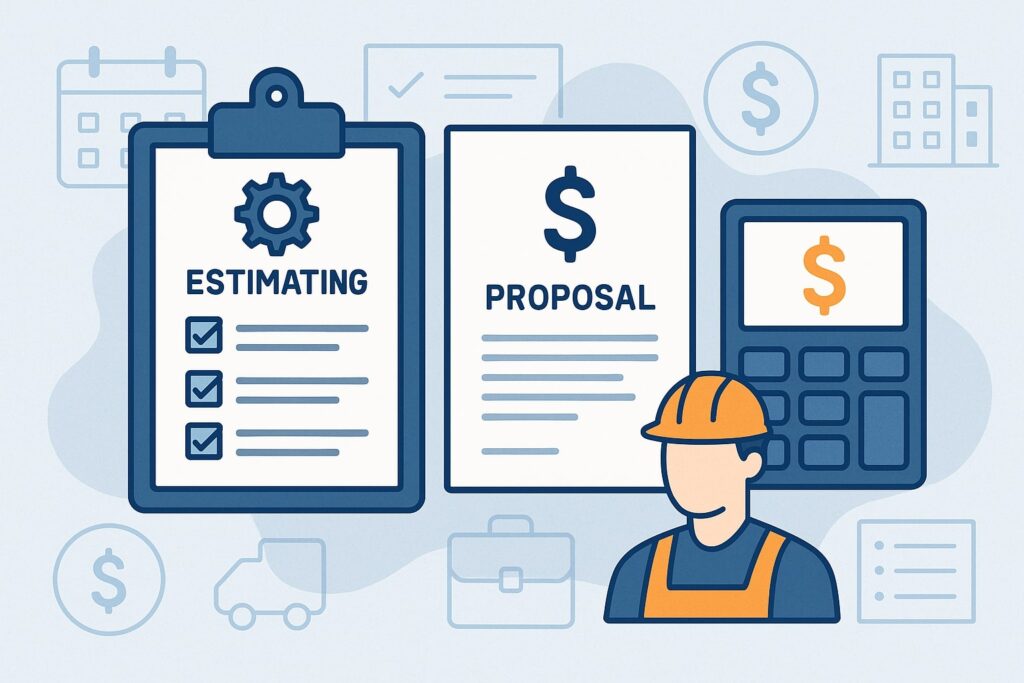
Estimating is where profit is either protected or destroyed. Office systems for your contracting company must treat estimating as a process, not a talent. Even skilled estimators need checklists, templates, and assumptions libraries.
Start with a scope checklist for your common services. If you do remodels, include demo, protection, disposal, rough-in, finish, paint, cleanup, and closeout.
If you do exterior work, include access, safety, flashing, disposal, and warranty specifics. A scope checklist makes office systems for your contracting company more consistent and prevents “I assumed that was included” disputes.
Next, define estimating “inputs.” Require site photos, measurements, and notes in a standard format. Store supplier quotes in the job record. For labor, use production rates that reflect reality. Then build estimates using assemblies (bundled line items) so pricing is structured and repeatable.
Your proposal should clearly define: scope, exclusions, allowances, timeline assumptions, payment schedule, change order rules, and warranty. This is where office systems for your contracting company protect you legally and operationally. If it isn’t written, it becomes a misunderstanding later.
Also standardize your pricing strategy: overhead allocation, desired gross margin, contingency rules, and minimum job size. Many contractors underprice because overhead isn’t systematically included.
Strong office systems for your contracting company ensure every estimate accounts for office labor, insurance, vehicles, software, tools, supervision, callbacks, and owner time.
Finally, track estimate performance: win rate by job type, margin vs. target, and reasons lost. Over time, office systems for your contracting company should turn estimating into a learning loop where pricing improves based on data—not gut feelings.
Implement Project Scheduling and Capacity Planning That Sticks
Scheduling is the heartbeat of production. Without solid scheduling, office systems for your contracting company crumble: customers get frustrated, crews get bounced, subs don’t show, and cash flow becomes unpredictable.
Begin by separating “sales calendar” from “production calendar.” Your sales calendar covers site visits and estimate deadlines. Your production calendar covers crew assignments, milestones, and inspections.
When these get mixed, things fall through the cracks. A strong scheduling system keeps the office aligned with field reality—without constant rework.
Capacity planning means understanding crew availability weeks ahead. Build a rolling 6–12 week view: active jobs, planned starts, expected durations, and key constraints (lead times, inspections, homeowner availability).
This transforms office systems for your contracting company from reactive to proactive. You stop promising dates you can’t keep.
Define milestone scheduling: start date, rough-in complete, inspection, finish, punch list, closeout. Even small jobs benefit from milestones because they trigger material ordering, customer updates, and billing.
In modern office systems for your contracting company, milestones are also where automated reminders and checklists can be attached.
You also need a reschedule protocol. Weather, delays, and surprises happen. The difference is whether your office systems for your contracting company handle rescheduling cleanly: update the schedule in one place, notify the customer using a template, alert subs, and adjust material delivery. Make one person accountable for schedule integrity.
Future-facing note: scheduling is increasingly influenced by real-time data—crew GPS check-ins, progress photos, and automatic production updates.
In the next few years, office systems for your contracting company will rely more on predictive scheduling that flags risk early (like a job falling behind by labor hours) so you can intervene before deadlines slip.
Build a Change Order System That Protects Profit and Trust
Change orders are where many contracting businesses lose money and relationships. Strong office systems for your contracting company make change orders normal, fast, and professional—not awkward and delayed.
Start by defining what counts as a change: scope add-ons, upgrades, unforeseen conditions, customer-driven rework, and any deviation from the signed scope. Then create a rule: no change order, no work—with rare exceptions for emergencies, which must still be documented immediately afterward.
Your change order workflow should be simple: request → pricing → approval → schedule impact → execution → billing. Every step must be logged in the job record. The most effective office systems for your contracting company use templates that include: description, cost, time impact, and customer signature/approval method.
Set expectations in your original contract. Explain that changes affect schedule and cost, and approvals must be documented. When customers know the rules early, they feel less “surprised” later. This is a trust-building advantage of office systems for your contracting company: clarity reduces conflict.
In the field, train foremen to identify changes early. A good system includes a daily log: “issues, decisions needed, potential changes.” The office prices quickly, sends a clean change order, and keeps production moving. That responsiveness is what separates average from top-tier office systems for your contracting company.
For future trends, customers increasingly expect digital approvals and instant updates. Change orders will move toward mobile-first workflows with attached photos, short videos, and itemized options.
The best office systems for your contracting company will make change orders feel as seamless as online shopping—clear options, clear pricing, and quick approval.
Organize Documents, Photos, and Compliance Records
A contracting business produces a mountain of paperwork: permits, plans, specs, photos, warranties, lien releases, subcontractor agreements, and invoices. If these are scattered, your office systems for your contracting company become fragile and stressful.
Start with a consistent folder structure for every job. Common categories include: Sales, Contract, Plans/Specs, Permits/Inspections, Schedule, Photos, Change Orders, Subcontracts, Materials, Invoices/Billing, Closeout/Warranty.
Keep naming consistent across all jobs. When anyone can open a job and instantly find what they need, office systems for your contracting company become faster and easier to train.
Photos deserve special attention. Require before, during, and after photos. Add “hidden condition” photos (like framing, plumbing, electrical) because they reduce disputes and support warranty work. Strong office systems for your contracting company use photo checklists tied to milestones, so documentation isn’t optional or forgotten.
Compliance also matters: insurance certificates, subcontractor W-9s, safety documentation, equipment inspection logs, and permit records.
Store these in a structured way. If you ever need to prove compliance, you don’t want a frantic search. Office systems for your contracting company should make audits and claims less painful.
Digitize forms that are repeated: subcontractor onboarding, daily logs, timecards, safety checklists, and punch lists. Modern systems reduce paper-based errors and make data easier to analyze.
Looking ahead, document management is becoming more automated. Smart systems can tag photos by location, attach them to milestones, and prompt missing documents before billing.
Over time, office systems for your contracting company will increasingly “nag” you in helpful ways—flagging missing lien waivers or unsigned approvals before problems occur.
Set Up Job Costing, Accounting Workflows, and Cash-Flow Controls
Many contractors are busy but not profitable because they don’t know job-level financial performance until it’s too late. Strong office systems for your contracting company connect estimating, purchasing, labor tracking, and invoicing so you can see true job costs in near real time.
Start with clear cost codes (labor, materials, subcontractors, equipment, permits, disposal, overhead allocation). Use the same codes across estimates and actuals. That alignment is one of the most powerful office systems for your contracting company because it makes variance analysis possible: “We bid 120 labor hours; we used 160—why?”
Build a purchasing workflow: purchase order or approval step, vendor quote storage, delivery dates, and receiving confirmation. Materials are a huge swing factor. If you don’t control purchasing, office systems for your contracting company can’t protect margins.
Next, define invoicing triggers. Example: deposit at contract signing, progress billing at milestone completion, final billing at substantial completion, retention release after punch list. The office must invoice promptly after triggers.
Late invoicing causes cash-flow crunches even when work is strong. In best-in-class office systems for your contracting company, invoicing is a weekly routine—never “when we remember.”
Also implement collections discipline: friendly reminders, clear payment methods, and escalation steps. Make it easy to pay. Send invoices with clear scope references and any required lien waivers or documentation. Good office systems for your contracting company reduce payment friction.
Future prediction: job costing is moving toward automatic data capture—hours logged from mobile time tracking, purchases imported from vendor integrations, and dashboards that forecast margin risk.
The next-generation office systems for your contracting company will show “profit health” during production, not after the job closes.
Build a Field-to-Office Reporting System
If the field and office operate as separate worlds, your business will always feel chaotic. Office systems for your contracting company must create a simple daily rhythm for reporting that keeps everyone aligned.
Start with a daily job log. It should capture: crew hours, work completed, issues encountered, materials used/needed, customer decisions required, safety notes, and progress photos. Keep it short and structured—checkboxes plus a few text fields. The purpose is not to create paperwork; it’s to create visibility.
Next, create a weekly production review. Foremen and the office review active jobs: schedule risks, change orders, inspections, materials, and next-week priorities. This meeting is a cornerstone of office systems for your contracting company because it prevents surprises. Surprises are what destroy schedules and margins.
You also need a system for field requests. If the crew needs a purchase approved, a subcontractor scheduled, or a permit question answered, they should submit it through one channel.
Strong office systems for your contracting company reduce random calls and texts by creating a “request queue” that the office processes daily.
Training matters here. Crews may resist reporting if it feels like busywork. Explain the benefit: fewer shortages, faster approvals, fewer rework incidents, and less blame. When reporting improves operations, teams buy in. That’s how office systems for your contracting company become culture, not just software.
In the near future, reporting will become more visual and automated: voice-to-text job logs, photo-based progress detection, and systems that create customer updates from field inputs. The most resilient office systems for your contracting company will reduce admin burden while increasing accuracy.
Create Quality Control, Punch List, and Warranty Systems
Quality isn’t just craftsmanship—it’s consistency, documentation, and follow-through. The best office systems for your contracting company make quality measurable and repeatable.
Start with phase checklists. For each job type, define quality checkpoints: prep, rough-in, waterproofing, finishes, cleanup, and final walk. Each checkpoint has simple “pass/fail” items and photo requirements.
This prevents “we’ll remember later” mistakes. It also turns quality into a system rather than a personality trait, which is essential for scaling office systems for your contracting company.
Next, standardize the punch list process. Punch lists should be captured during a walkthrough, assigned to an owner with a due date, and verified with photos. Avoid punch list chaos by making it a structured closeout stage with a clear definition of “done.”
Warranty work needs a separate system. If warranty requests are treated like random interruptions, they’ll frustrate your team and harm reputation. Create a warranty intake form: issue description, photos, address, urgency, and preferred appointment times.
Then schedule warranty work in blocks, not between jobs. This is a crucial part of office systems for your contracting company because warranty issues can quietly consume profit.
Also track root causes. If you’re seeing repeat issues—like paint failures, caulk gaps, or drain leaks—use that data to update checklists and training. When office systems for your contracting company incorporate feedback loops, you improve quality and margins over time.
Future prediction: quality systems will increasingly integrate with customer communication. Automated “completion reports” with photos, materials used, and care instructions will become normal.
Contractors with mature office systems for your contracting company will stand out by offering professional closeout packages that reduce callbacks.
Use Automation and Future-Proofing to Stay Competitive
Modern customers expect faster communication, clearer timelines, and digital documentation. Office systems for your contracting company should include automation where it reduces friction—without making your business feel impersonal.
Start with basic automation: appointment confirmations, estimate follow-up reminders, milestone customer updates, internal task reminders for material ordering, and automatic invoice sending after approvals. These automations reduce dropped balls and free your team to focus on higher-value work.
Then layer in integrations. For example: lead forms feeding directly into your CRM, calendar syncing with schedules, accounting syncing with invoices, and time tracking syncing to job costing. Integration is how office systems for your contracting company scale without adding unnecessary admin headcount.
AI is also moving into contracting operations. The practical near-term uses aren’t sci-fi—they’re administrative accelerators: summarizing job notes, drafting customer updates, creating proposal text from scope checklists, and analyzing estimate vs. actual patterns.
In the next few years, office systems for your contracting company will increasingly recommend actions: “You’re behind on labor hours,” “This vendor lead time threatens the start date,” or “Send a change order for this documented scope shift.”
To future-proof, keep your systems modular: one core job record platform, plus best-in-class tools that integrate. Document your processes so you can change tools without losing workflows.
The most durable office systems for your contracting company are platform-agnostic because they are built around clear procedures.
Finally, don’t overcomplicate. The best automation is the one your team actually uses. A smaller, well-adopted system beats a complex setup that no one follows. That’s the real secret to office systems for your contracting company that last.
FAQs
Q.1: What are the most important office systems for your contracting company to set up first?
Answer: If you’re starting from scratch, prioritize office systems for your contracting company that prevent revenue leakage and customer frustration.
The first three are: (1) lead intake + follow-up, (2) estimating + proposal templates, and (3) scheduling + communication standards. These create immediate stability because they control the pipeline and set expectations.
Next, add change orders and job costing. Change orders protect margins during production, and job costing tells you whether you’re actually making money. Without these, even busy contractors can struggle financially.
A strong approach is to implement systems in the same order your work flows: intake → estimate → contract → schedule → production → billing → closeout.
Keep the first version simple: checklists, templates, consistent folders, and a weekly review meeting. Once your team follows the basics consistently, improve step-by-step. This phased approach is how office systems for your contracting company become habits instead of a short-term “initiative” that fades.
Q.2: What software should office systems for your contracting company include?
Answer: Software choices vary by trade and size, but most office systems for your contracting company benefit from five core tool categories: a CRM/job record system, estimating/proposals, scheduling, document storage, and accounting. Some platforms combine multiple functions, while others work best as an integrated stack.
The key is not the brand—it’s the workflow. Your tools must support consistent intake, standardized estimates, milestone scheduling, change order approvals, and timely invoicing. The best system is the one your team uses daily without friction.
If the crew hates it, they’ll avoid it, and your office systems for your contracting company won’t be reliable.
Also plan for growth. Choose tools that can add users, support mobile field reporting, and integrate with accounting. Finally, standardize how your team uses the tools: naming conventions, required fields, and weekly review routines. In practice, disciplined usage matters more than features.
Q.3: How do office systems for your contracting company reduce mistakes on jobs?
Answer: Mistakes usually come from missing information, unclear scope, poor handoffs, or last-minute changes. Office systems for your contracting company reduce mistakes by creating repeatable checkpoints.
Scope checklists reduce estimating gaps. Pre-construction checklists ensure materials, permits, and access are confirmed. Field reporting provides visibility into issues early. Change order systems prevent unpaid add-ons. Quality checklists catch defects before customers do.
The other major factor is communication consistency. When customer decisions are logged, schedule changes are recorded in one place, and tasks are assigned with owners, confusion drops dramatically. Your team spends less time guessing and more time building.
Over time, office systems for your contracting company also create learning. When you compare estimates to actual job costs and track recurring issues, you continuously improve production rates, material planning, and quality standards. That’s how systems reduce both errors and stress.
Q.4: How can small contractors set up office systems without hiring a big office staff?
Answer: You don’t need a large team to build strong office systems for your contracting company—you need clear procedures. Start with templates, checklists, and a single job record platform. Make sure every lead is logged, every estimate follows the same structure, every job has a folder structure, and every week includes a short operations review.
Automate reminders and follow-ups where possible, and standardize customer communication with message templates. For scheduling, a simple milestone calendar is enough if it’s updated consistently. For accounting, focus on invoicing triggers and job cost coding—even if the first version is basic.
The biggest lever for small operations is discipline, not headcount. Office systems for your contracting company become powerful when you consistently capture information and review it weekly.
As revenue grows, the same documented workflows make it easier to add a part-time coordinator or bookkeeper without reinventing everything.
Q.5: What metrics should office systems for your contracting company track?
Answer: Metrics turn busy work into measurable performance. At minimum, office systems for your contracting company should track: lead response time, estimated turnaround time, win rate, average gross margin, labor hours estimated vs. actual, material variance, change order volume, schedule adherence, and days-to-invoice after milestones.
Also track cash-flow metrics: accounts receivable aging, average time-to-collect, and backlog value (work sold but not completed). These show whether growth is healthy or stressful.
For operations, track callbacks and warranty claims by job type and root cause. Over time, these quality metrics help you update training and checklists.
The goal isn’t to drown in dashboards—it’s to identify the few numbers that predict profit and customer satisfaction. Mature office systems for your contracting company use metrics to guide decisions early, not to explain problems after the fact.
Q.6: What is the future of office systems for your contracting company?
Answer: The future is faster, more automated, and more transparent. Customers will increasingly expect digital proposals, photo updates, clear milestones, and easy payment options.
Office systems for your contracting company will respond by automating routine communication, improving real-time job costing, and integrating field reporting more deeply.
AI will expand beyond “cool features” into practical operations: summarizing job notes, drafting customer updates, generating proposal language from scope checklists, and predicting schedule or margin risk based on historical patterns.
Tools will increasingly flag missing approvals, missing documents, and billing delays before they become crises.
At the same time, simplicity will remain a competitive advantage. The contractors who win won’t be the ones with the most software—they’ll be the ones with office systems for your contracting company that are clear, consistent, and easy for teams to follow. The future belongs to contractors who combine strong craftsmanship with strong operational systems.
Conclusion
If you want stable growth, fewer headaches, and better margins, invest in office systems for your contracting company the same way you invest in tools and training for the field. The goal is not bureaucracy. The goal is reliability: reliable intake, reliable estimating, reliable scheduling, reliable change orders, reliable documentation, and reliable billing.
The biggest shift is moving from “memory-based management” to “system-based operations.” When office systems for your contracting company are written down, standardized, and reviewed weekly, you reduce rework, avoid miscommunication, and speed up cash flow.
You also create a business that can survive vacations, sick days, and turnover—because the work doesn’t depend on one person’s brain.
Start simple: one source of truth, role clarity, standardized templates, and a weekly operations review. Then strengthen the core: change orders, job costing, field reporting, and quality control. Finally, add automation and integration to reduce admin workload while improving visibility.
The contractors who dominate in the coming years will be the ones who treat operations as part of craftsmanship. When office systems for your contracting company are strong, your team works calmer, customers trust you more, and profit becomes repeatable—not accidental.